Base64 to hex converter
Turn a Base64 string into the hex bytes it holds, or turn hex back into Base64. This is the quick way to inspect keys, hashes, signatures and tokens that are stored as Base64.
Show how it works


Runs in your browser. Nothing you type is uploaded.
How to convert Base64 to hex
- Paste the Base64 into the left box. Standard and URL-safe strings both work, with or without the trailing
=. - The hex bytes appear on the right. Pick a Hex style: spaced uppercase, spaced lowercase, one long string, or
0xbefore each byte. - Pick Hex to Base64 in the Mode menu to go the other way. Hex can be typed with or without spaces, and a
0xprefix is ignored.
The byte count under the tool tells you how long the data really is, which is handy when you need to check that a key is 32 bytes or a hash is 20.
Why convert Base64 to hex
Base64 is compact, so systems use it to store and send binary values. Hex is easier to read and compare, so people use it to inspect those values. When the bytes hold plain characters, hex to text turns them back into letters. Common cases:
- Checking that an API key, secret or IV has the right number of bytes.
- Comparing a SHA-256 hash that one tool prints in Base64 and another prints in hex.
- Reading the header bytes of a file to see its type, such as
89 50 4E 47for PNG. For a whole file, the hex editor shows every byte with an offset. - Debugging a JSON Web Token signature or a certificate field.
Worked example
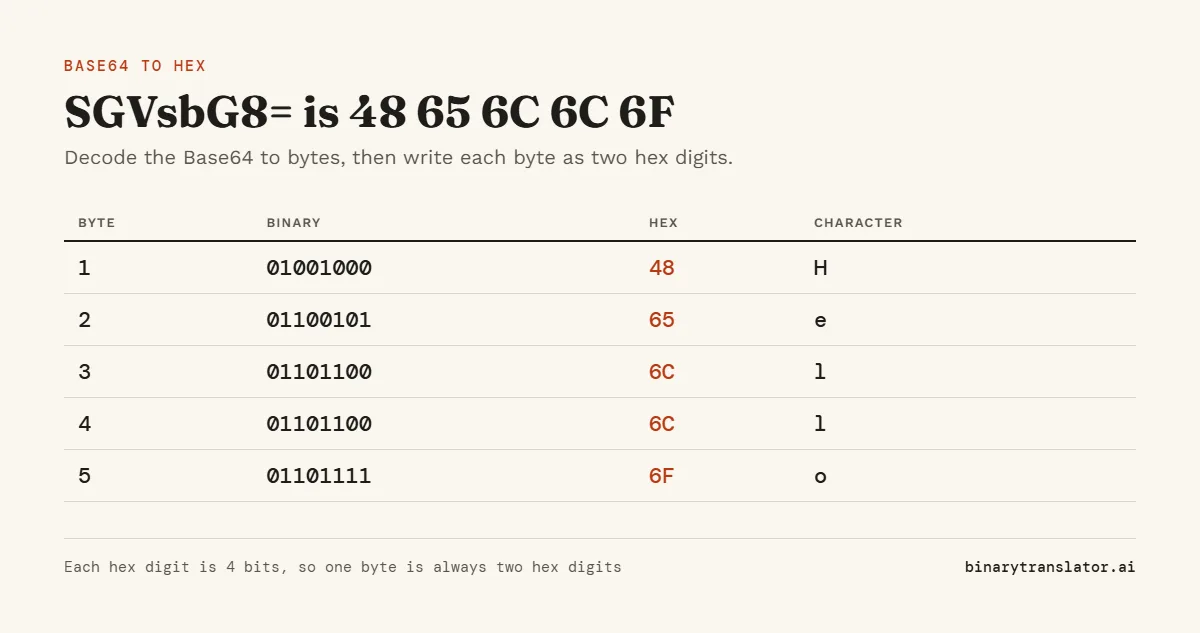
Take SGVsbG8=. Each Base64 character stands for 6 bits, so 7 characters carry 42 bits. The padding says the last group held 2 bytes, which leaves 5 full bytes:
| Byte | Binary | Hex | Character |
|---|---|---|---|
| 1 | 01001000 | 48 | H |
| 2 | 01100101 | 65 | e |
| 3 | 01101100 | 6C | l |
| 4 | 01101100 | 6C | l |
| 5 | 01101111 | 6F | o |
So SGVsbG8= in hex is 48 65 6C 6C 6F, and the Base64 decoder reads the same string as the text Hello. Each pair of hex digits is one byte, and each hex digit is 4 bits, which the hex to binary converter writes out for every byte. Going back, the tool reads the hex 3 bytes at a time and writes 4 Base64 characters for each group.
Length rules of thumb
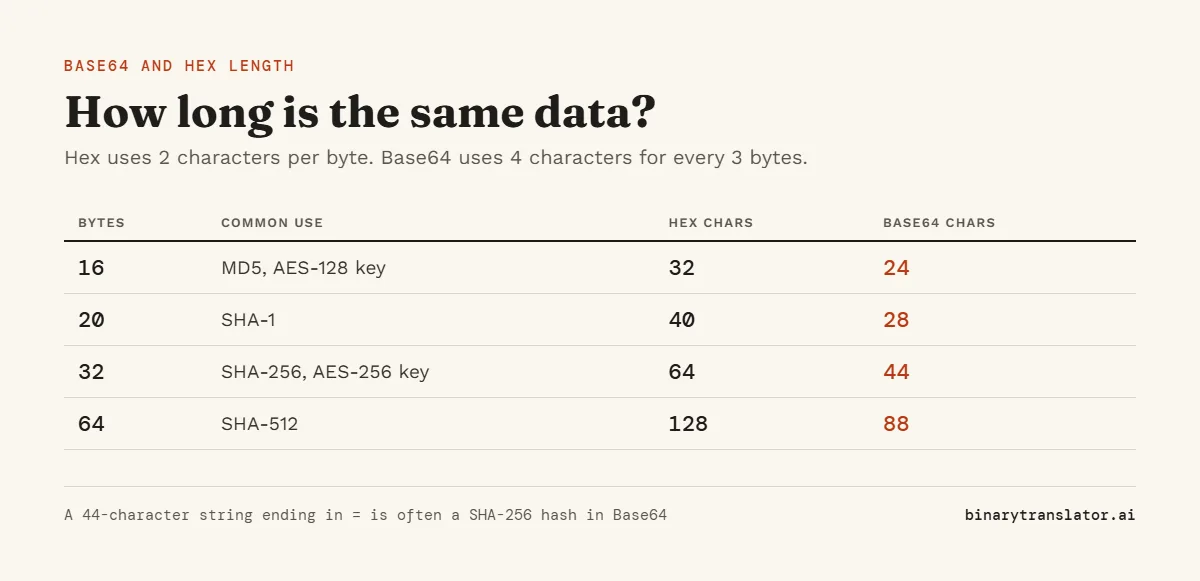
| Bytes | Hex characters | Base64 characters |
|---|---|---|
| 16 (MD5, AES-128 key) | 32 | 24 (with ==) |
| 20 (SHA-1) | 40 | 28 (with =) |
| 32 (SHA-256, AES-256 key) | 64 | 44 (with =) |
| 64 (SHA-512) | 128 | 88 (with ==) |
Hex always uses 2 characters per byte. Base64 uses 4 characters for every 3 bytes, rounded up. A SHA-256 digest is always 256 bits, or 32 bytes, as the NIST Secure Hash Standard sets out. If a SHA-256 value is 44 characters ending in =, it is Base64. If it is 64 characters of 0 to 9 and a to f, it is hex.
Frequently asked questions
Is Base64 to hex lossless?
Yes. Both are ways of writing the same bytes, so you can convert back and forth without changing the data.
Why does my hex have an odd number of digits?
Each byte needs two hex digits. An odd count means a digit is missing, so the tool cannot turn it into Base64 until you fix it.
What is the hex for Base64 padding?
None. The = signs are not data. They only show how many bytes the last group held.
Can I convert a URL-safe Base64 string?
Yes. The tool treats - as + and _ as / before decoding.