Base64 to image converter
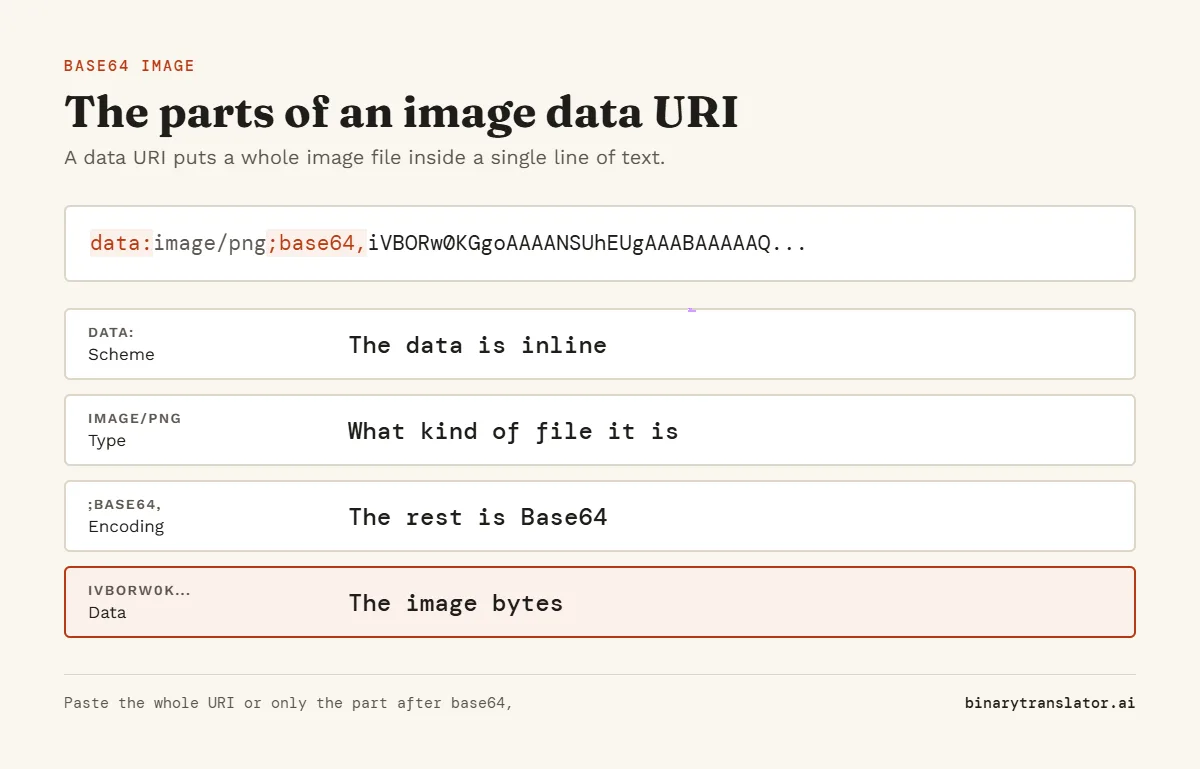
Paste a Base64 string or a full data:image/...;base64, URI to see the picture and save it as a file. Switch the mode to turn your own image into Base64 for HTML, CSS or JSON, or use image to binary to see a picture as 0s and 1s.


Runs in your browser. Nothing you type is uploaded.
How to convert Base64 to an image
- Paste the Base64 text or the data URI into the box. Press Try a sample if you want to see how it works first.
- The image appears below with its type, size in bytes and width and height in pixels.
- Press Download to save the file with the right extension, or Open in new tab to view it at full size.
The tool reads the first bytes of the decoded data to find the format, so it still works when the data URI prefix is missing or names the wrong type. Small images are scaled up with sharp pixels so you can see them.
How to convert an image to Base64
Pick Image to Base64 in the Mode menu, then drop an image on the box or press Open file. Choose the output you need:
| Output | Example start | Use it in |
|---|---|---|
| Plain Base64 | iVBORw0KGgo... | APIs and databases that store the bytes |
| Data URI | data:image/png;base64,iVBOR... | Anywhere a URL is expected |
| HTML img tag | <img src="data:image/png;base64,... | Email templates and single-file pages |
| CSS background | background-image: url("data:image/png;base64,...") | Small icons in a stylesheet |
| JSON | {"filename": ..., "mime": ..., "data": ...} | Sending a file through a JSON API |
The message under the box shows how much the file grew. Base64 adds about a third, so it suits icons and small images. For large photos a normal image file loads faster and can be cached.
How to tell the image type from Base64
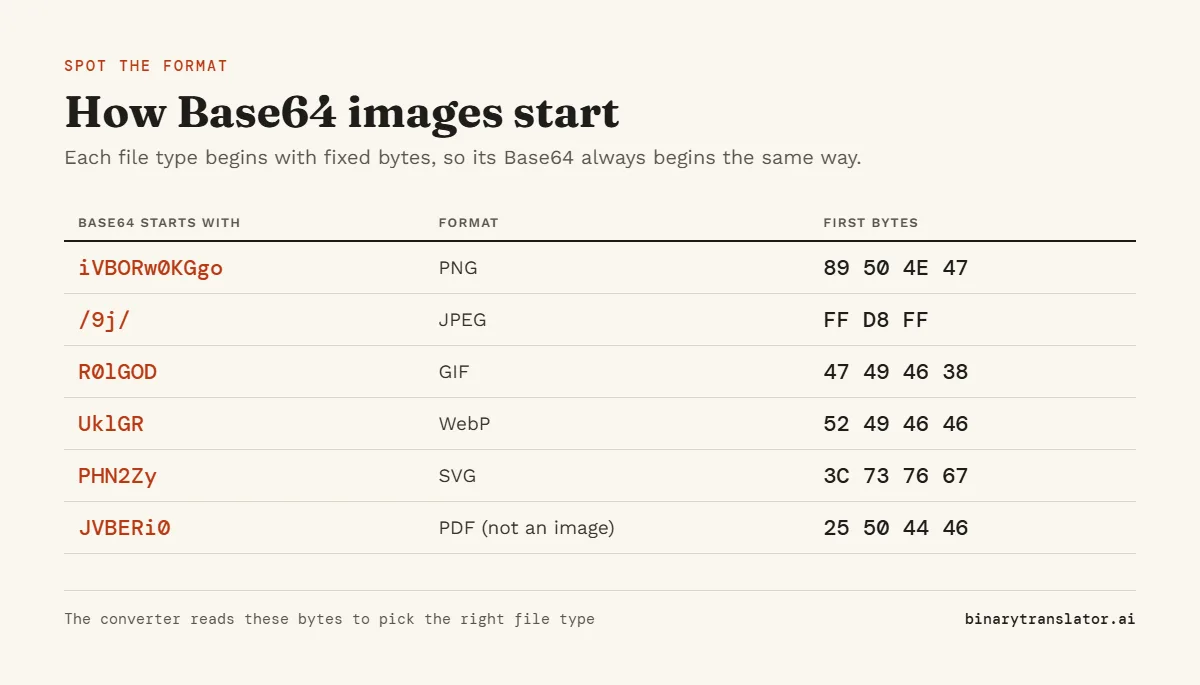
Every image format starts with a fixed byte pattern, such as the 8-byte signature in the W3C PNG specification, and those bytes always encode to the same first characters:
| Starts with | Format | First bytes (hex) |
|---|---|---|
| iVBORw0KGgo | PNG | 89 50 4E 47 0D 0A 1A 0A |
| /9j/ | JPEG | FF D8 FF |
| R0lGOD | GIF | 47 49 46 38 |
| UklGR | WebP (RIFF) | 52 49 46 46 |
| PHN2Zy | SVG | 3C 73 76 67 (<svg) |
| Qk | BMP | 42 4D |
A string that starts with JVBERi0 is a PDF, not an image. Use the Base64 to PDF tool for that one. For any other start, Base64 to hex shows the first bytes so you can match them against the table above.
When the image does not show
- The string was cut off. Long data URIs are often trimmed when copied from logs or browser tools. Copy it again from the source.
- There is extra text around it, such as quotes or a JSON key. Paste only the part after
base64,or the whole data URI. - The data is not an image. The tool then names the type it found, or lets you download the raw bytes to check. If it turns out to be text, the Base64 decoder shows it as readable characters.
- The format is one your browser cannot draw, such as TIFF. You can still download the file and open it in an image program.
Frequently asked questions
What is a Base64 image?
It is an image file written as text with the 64 Base64 characters, so it can sit inside HTML, CSS or JSON without a separate file.
What does data:image/jpeg;base64 mean?
It is the start of a data URI, the format defined in RFC 2397 for data URLs. It tells the browser that the text after the comma is a JPEG image encoded in Base64.
Is there a size limit?
Files over 10 MB are refused when encoding, to keep the page responsive. Decoding is limited only by your browser memory.
Are my images uploaded?
No. Decoding and encoding happen in your browser. Nothing is sent to a server.