MB to KB converter
Convert megabytes to kilobytes. Multiply by 1000 for decimal kilobytes, or by 1024 for the binary kilobytes Windows shows. The converter gives both answers at once.
Show the working
Same size in every unit
Conversion table


Runs in your browser. Nothing you type is uploaded.
How to convert MB to KB
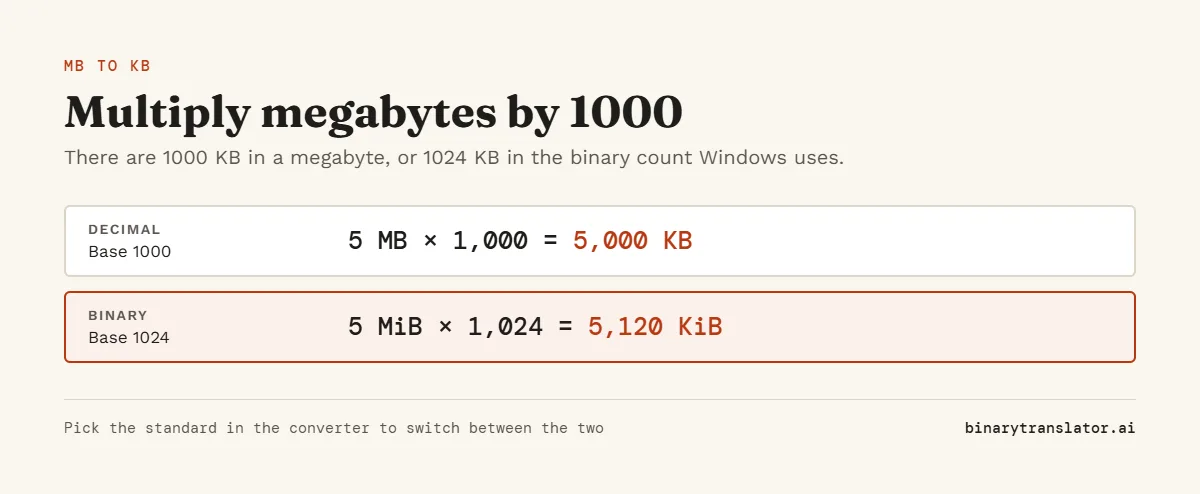
A megabyte is 1000 kilobytes, so multiply the number of megabytes by 1000. In the binary system, used by Windows and for RAM, a megabyte is 1024 kilobytes, so multiply by 1024 instead.
KB = MB × 1000 (decimal) or KB = MB × 1024 (binary)
MB to KB examples
- 1 MB = 1000 KB, or 1024 KB in binary.
- 2 MB = 2000 KB, or 2048 KB in binary.
- 5 MB = 5000 KB, or 5120 KB in binary.
- 10 MB = 10,000 KB, or 10,240 KB in binary.
- 100 MB = 100,000 KB, or 102,400 KB in binary.
- 0.25 MB = 250 KB, or 256 KB in binary.
MB to KB conversion table
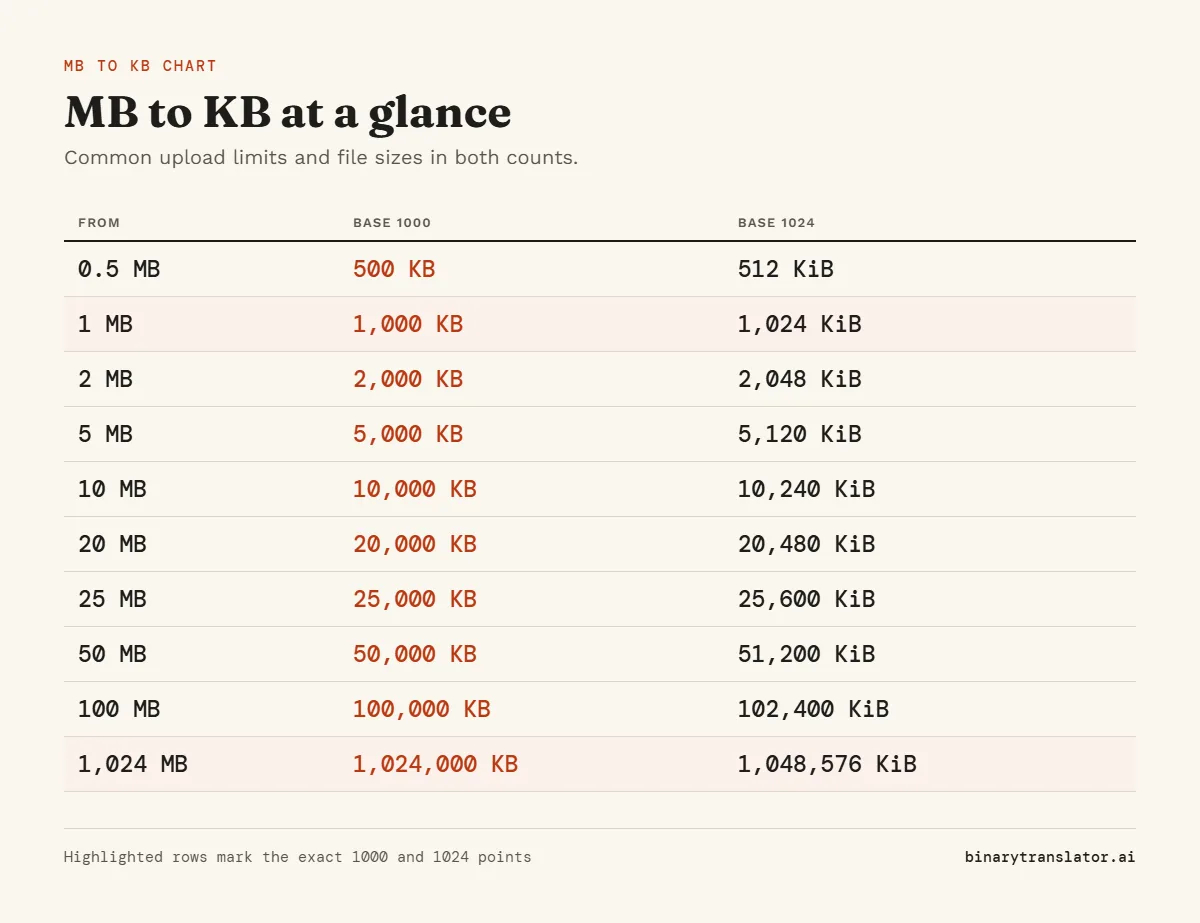
| Megabytes | Kilobytes (1000) | Kilobytes (1024) |
|---|---|---|
| 0.1 MB | 100 KB | 102.4 KB |
| 0.5 MB | 500 KB | 512 KB |
| 1 MB | 1000 KB | 1024 KB |
| 2 MB | 2000 KB | 2048 KB |
| 3 MB | 3000 KB | 3072 KB |
| 5 MB | 5000 KB | 5120 KB |
| 10 MB | 10,000 KB | 10,240 KB |
| 20 MB | 20,000 KB | 20,480 KB |
| 25 MB | 25,000 KB | 25,600 KB |
| 50 MB | 50,000 KB | 51,200 KB |
| 100 MB | 100,000 KB | 102,400 KB |
Checking a file against an upload limit
Most upload forms and email services state their limit in MB and count in decimal units. Windows File Explorer lists file sizes in KB and counts in binary units. To compare the two, turn the limit into bytes rather than mixing KB and MB:
- Take the limit, for example 5 MB, and multiply by 1,000,000: 5,000,000 bytes.
- Take the size Windows shows, for example 4,950 KB, and multiply by 1024: 5,068,800 bytes.
- Compare: 5,068,800 is more than 5,000,000, so the file is over a 5 MB limit even though 4,950 looks smaller than 5000.
The converter does the same thing in one step. Type the Windows size as KB with Binary selected and read the "In bytes" card, or open "Same size in every unit".
Why the binary answer is bigger
Going from MB to KB, the binary answer is about 2.4% larger, because each binary megabyte holds 1024 kilobytes instead of 1000. Going the other way, from KB to MB, the binary answer is the smaller one. Keep one standard for the whole calculation and the numbers stay consistent.
For the reverse direction use the KB to MB converter, which also explains which unit is bigger. For larger units, GB to MB works the same way, and the byte converter covers every pair from bits to petabytes.
Frequently asked questions
How many KB is 1 MB?
1000 KB in decimal units and 1024 KB in binary units.
How many KB is 5 MB?
5000 KB in decimal units, or 5120 KB in binary units.
How many KB is 10 MB?
10,000 KB in decimal units, or 10,240 KB in binary units.
How many MB is 1 KB?
0.001 MB in decimal units, or about 0.00098 MB in binary units.
How do I convert MB to KB in my head?
Move the decimal point three places to the right: 2.5 MB is 2500 KB. Add about 2.4% for the binary answer.
How do I convert MB to KB in Excel?
Multiply by 1000, for example =A2*1000, or by 1024 for binary KB.