Binary translator
Translate binary code into plain English text. Paste 01001000 01101001 and you get "Hi". The decoder reads UTF-8, so accented letters and emoji come out right too.


Runs in your browser. Nothing you type is uploaded.
How to use the binary translator
- Paste your binary into the left box. Spaces between bytes are optional.
- The text shows up on the right as you type. Untick Live if you would rather press a button.
- Copy the text, or download it as a .txt file.
Binary input can have spaces, line breaks, commas or no gaps at all. When the bytes are separated, the translator also accepts 7-bit groups like 1001000 and pads them to 8 bits. To go the other way, pick the Text to binary tab.
What the translator does with messy input
Binary copied from a chat, a puzzle or a code file rarely arrives as clean 8-bit groups. Each input below was run through the translator on this page, and the right column shows what came back.
| Input | What you get |
|---|---|
| 0100100001101001 (no spaces) | Hi |
| 01001000,01101001 (commas) | Hi |
| 01001000-01101001 (hyphens) | Hi |
| 0b01001000 0b01101001 (0b prefix) | Hi |
| 1001000 1101001 (7-bit groups) | Hi |
| 10010001101001 (7-bit groups, no spaces) | No text. The message says the input has 14 bits and 6 are left over. |
| 01001000 0110100 (one bit missing) | H4, with a warning that the 2nd group was padded |
| 01001000 01101002 (a stray 2) | No text. The message names the character and the group it is in. |
| 11000011 (half of a two-byte character) | Ã, with a note that the bytes are not valid UTF-8 |
| 11000011 10101001 with the encoding set to ISO-8859-1 | é. Set the encoding to UTF-8 and it reads é. |
| 72 105 with From set to Binary (decimal codes) | No text. The message says binary can only contain 0 and 1. Set From to Decimal and it reads Hi. |
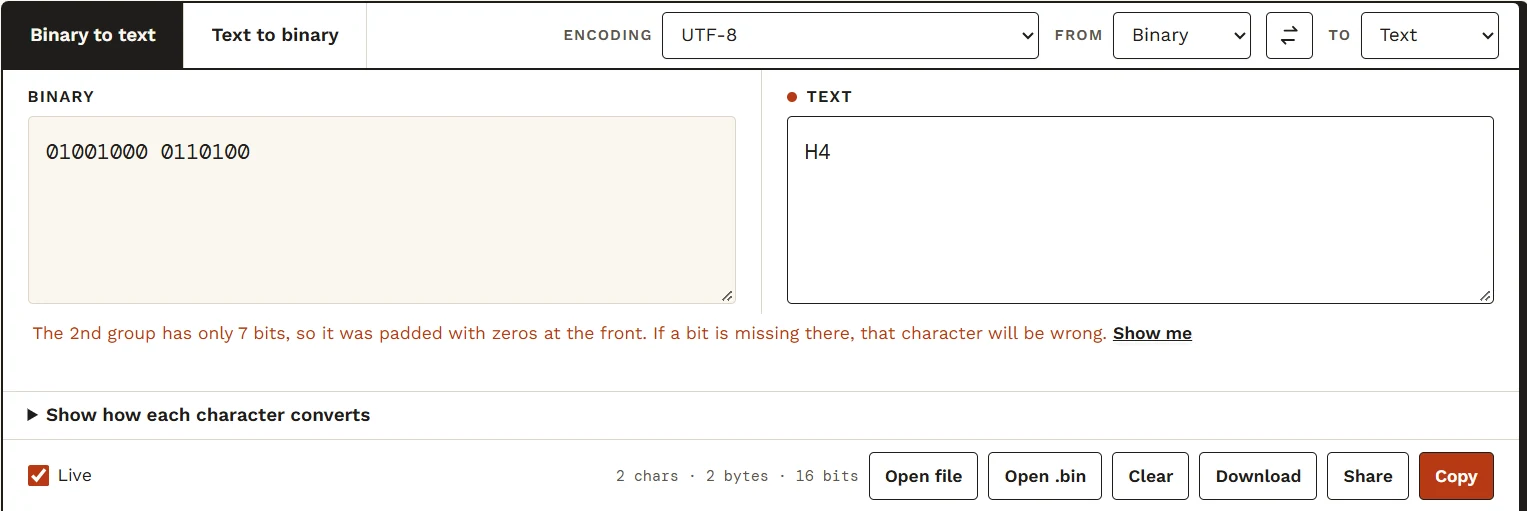
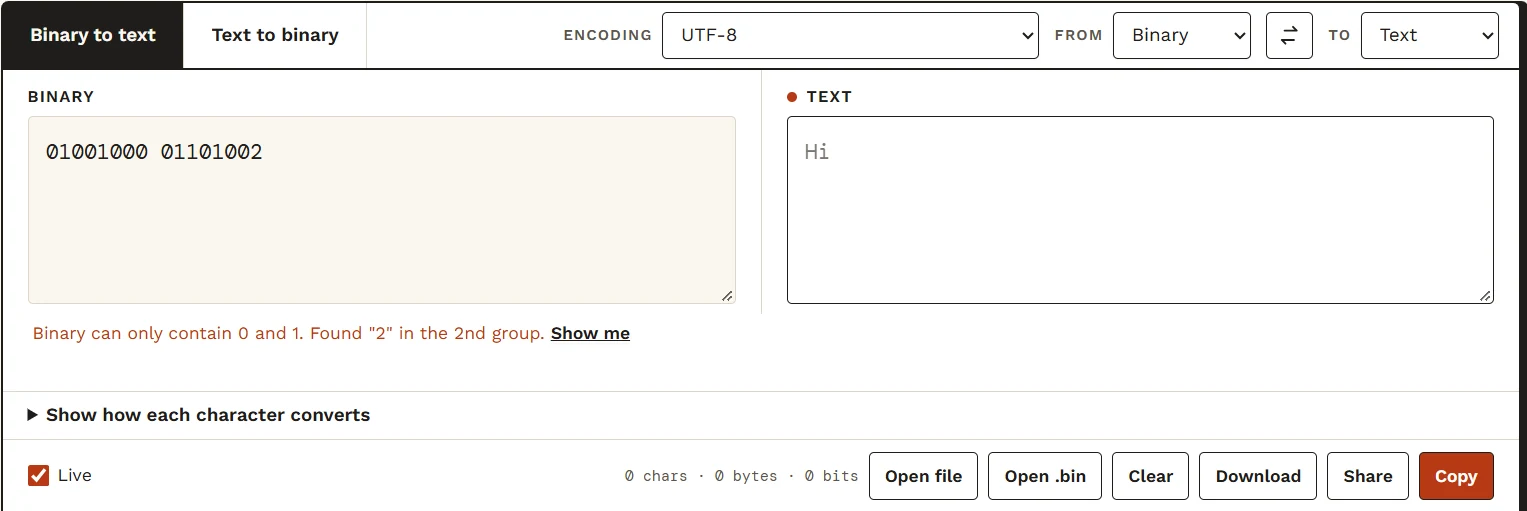
One result matters before you trust a decoded message. A group that is one bit short still decodes, because the translator pads it with a zero at the front, so 0110100 becomes the digit 4 and not the letter i. The warning under the box tells you which group was padded.
How to read binary code to letters
Each group of 8 bits is one byte, and each bit has a place value. From left to right the values are 128, 64, 32, 16, 8, 4, 2 and 1. Add up the values where the bit is 1, then look the number up in the ASCII table. ASCII is the 1963 standard that gives every English letter, digit and punctuation mark a number from 0 to 127. The binary to decimal converter shows this sum step by step for any number.
| Bit | 0 | 1 | 1 | 0 | 1 | 0 | 0 | 1 |
|---|---|---|---|---|---|---|---|---|
| Value | 128 | 64 | 32 | 16 | 8 | 4 | 2 | 1 |
For 01101001 that is 64 + 32 + 8 + 1 = 105, and 105 is the lowercase letter i. Do the same for 01001000 and you get 72, which is H. Together the two bytes spell "Hi".
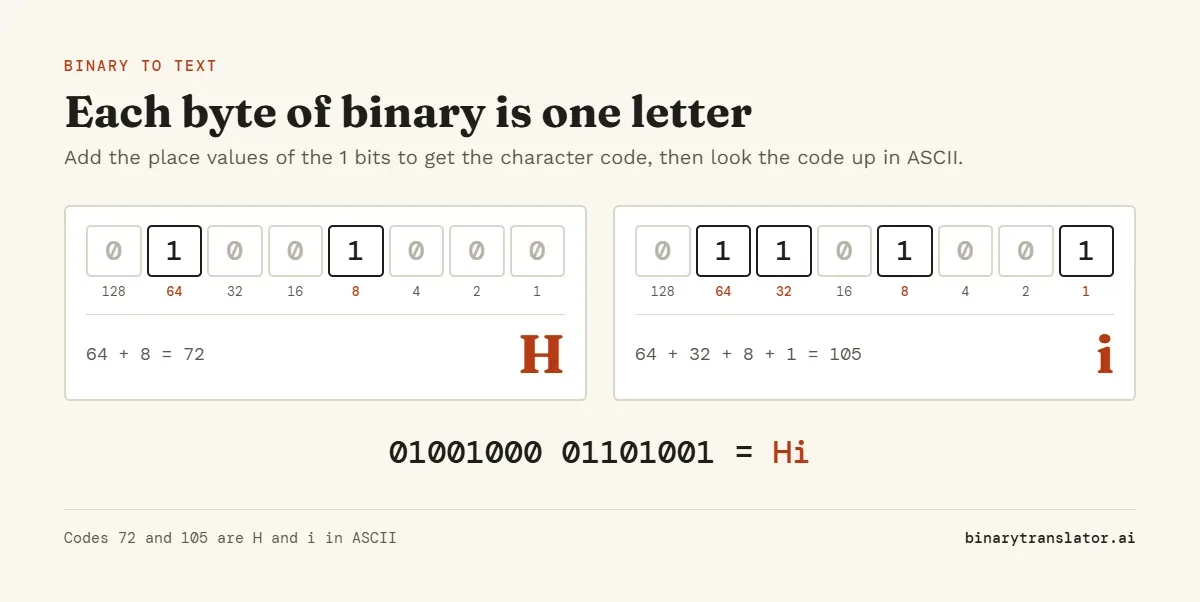
That is all a binary decoder does: split the input into bytes, turn each byte into a number and look the number up. Translating binary to English works the same way for every letter, because English text uses only the first 128 codes.
Convert binary to hex, decimal or octal
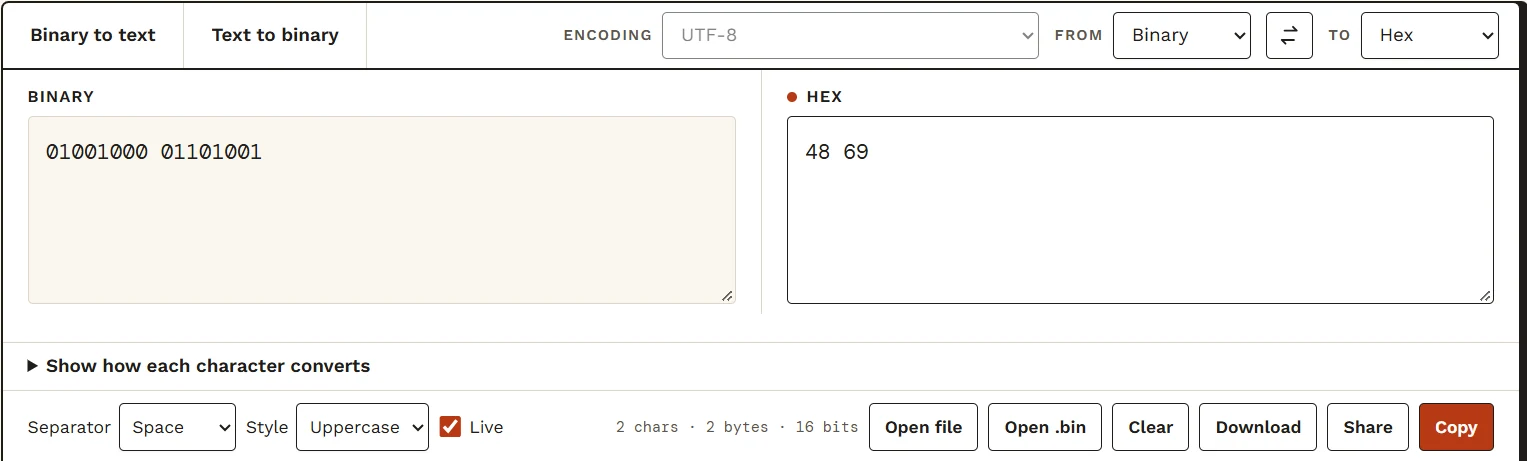
The From and To menus turn the same bytes into other number bases, which makes the tool a binary to text converter and a base converter in one. With Binary and Hex selected, 01001000 01101001 becomes 48 69. In decimal it is 72 105, and in octal 110 151. Set From to Hex and To to Text, and 48 69 reads "Hi" again. This helps when a debugger or a packet capture shows bytes in one base and you need another.
Binary code examples and what they say
Paste any of these into the box above to check the result.
| Binary | Text |
|---|---|
01001000 01101001 | Hi |
01011001 01100101 01110011 | Yes |
01001110 01101111 | No |
01001000 01100101 01101100 01101100 01101111 | Hello |
01000111 01101111 01101111 01100100 00100000 01101100 01110101 01100011 01101011 | Good luck |
01010100 01101000 01100001 01101110 01101011 00100000 01111001 01101111 01110101 | Thank you |
01001001 00100000 01101100 01101111 01110110 01100101 00100000 01111001 01101111 01110101 | I love you |
Why some binary turns into strange characters
English letters, digits and punctuation take one byte each. Other characters take more. In UTF-8 the letter é is two bytes, 11000011 10101001, and the 😀 emoji is four: 11110000 10011111 10011000 10000000. Decode only part of those bytes and you get a broken symbol instead of the real character.
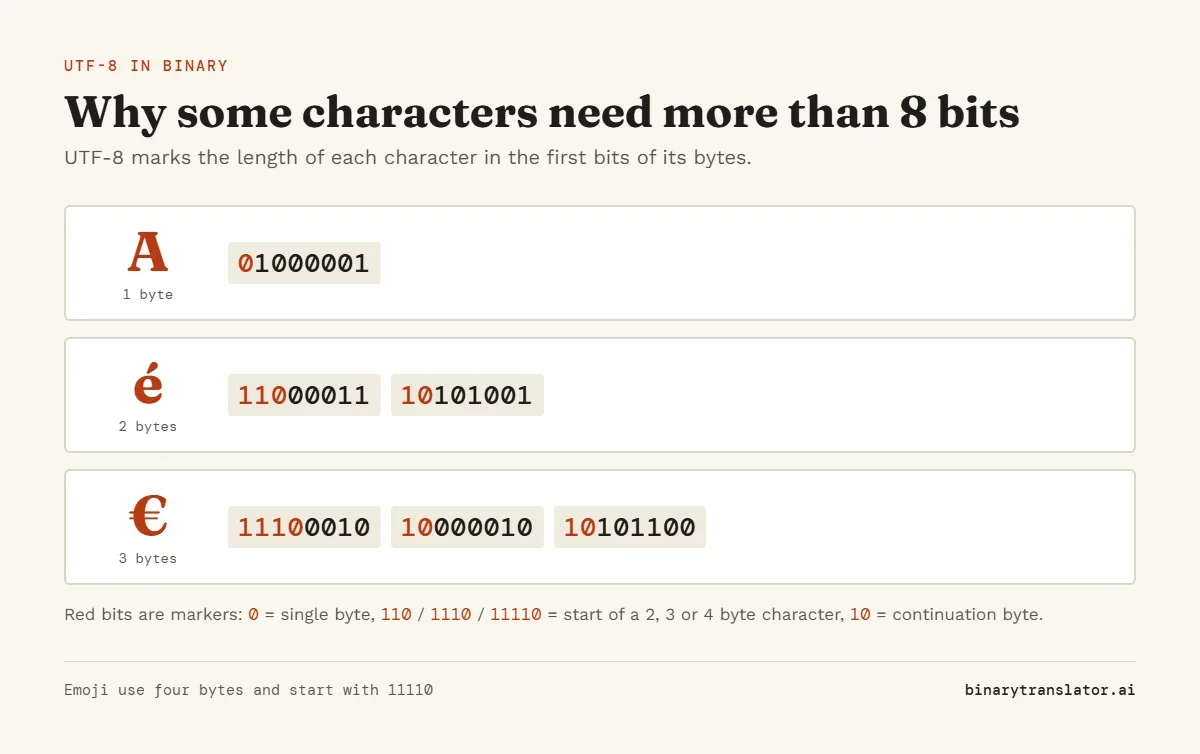
The first bits of each byte tell a decoder how long the character is, a rule set out in RFC 3629, the UTF-8 standard. A byte starting with 0 is a complete ASCII character. One starting with 110, 1110 or 11110 begins a character of two, three or four bytes, and every byte that follows starts with 10. That is how the translator knows to read 11000011 10101001 as one letter, é, rather than two.
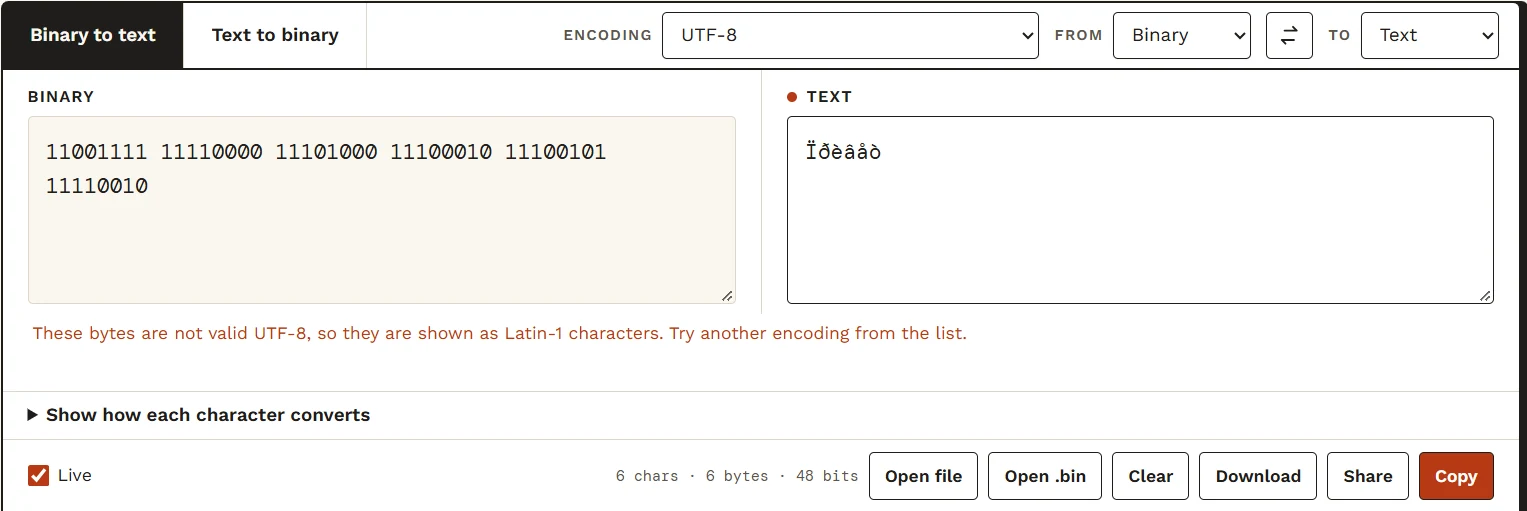
When the bytes are not valid UTF-8 at all, the translator falls back to Latin-1 and says so under the boxes. That usually means the binary came from an older system, or a byte was copied wrong.
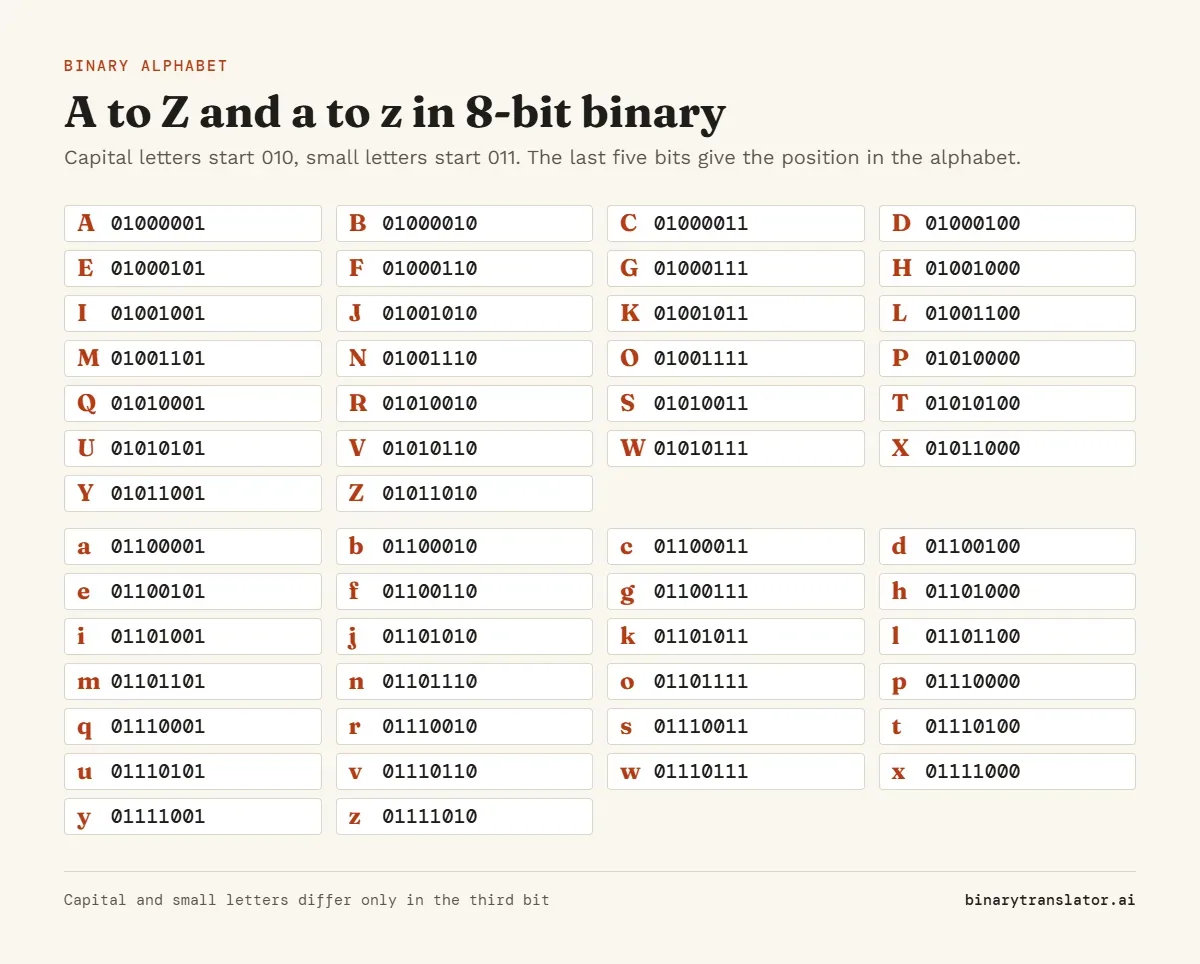
One flipped bit is enough to change a letter. A is 01000001 and a is 01100001. The only difference is the third bit from the left, worth 32.
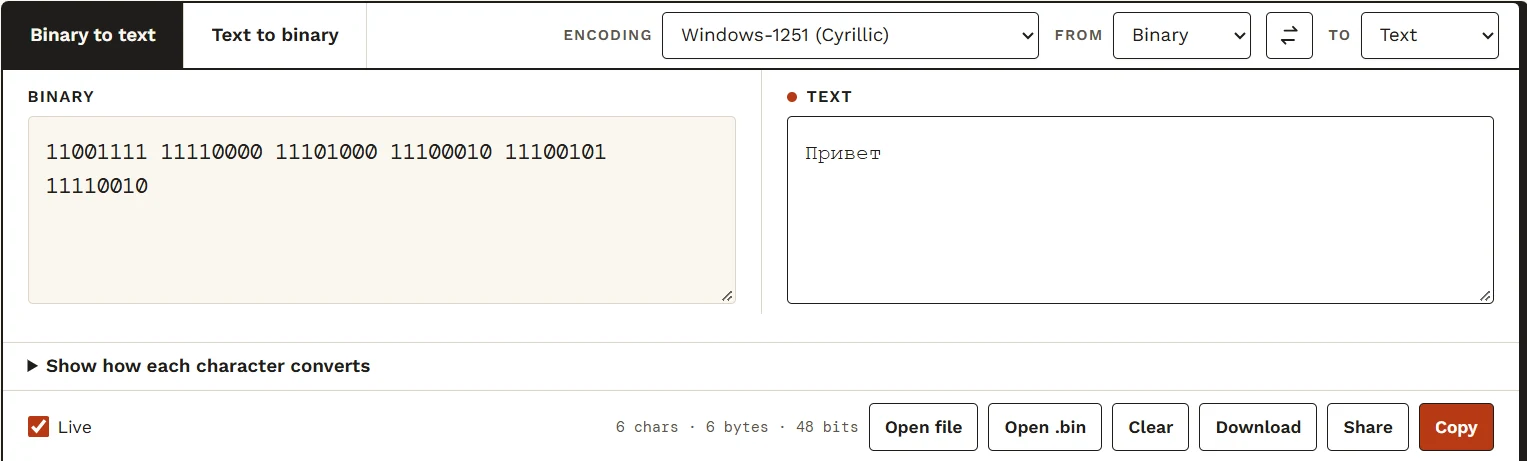
Text written before UTF-8 became common may use an older encoding. The bytes 11001111 11110000 11101000 11100010 11100101 11110010 are not valid UTF-8, but with the encoding set to Windows-1251 they read "Привет", Russian for hello. If a message comes out as random accented letters, try the encoding that matches the language it was written in.
Binary alphabet from A to Z
Every uppercase and lowercase letter with its 8-bit code. Capital letters all start with 010 and small letters with 011; the last five bits count the position in the alphabet, so A ends in 00001 and Z in 11010.
| Letter | Binary | Letter | Binary |
|---|---|---|---|
| A | 01000001 | a | 01100001 |
| B | 01000010 | b | 01100010 |
| C | 01000011 | c | 01100011 |
| D | 01000100 | d | 01100100 |
| E | 01000101 | e | 01100101 |
| F | 01000110 | f | 01100110 |
| G | 01000111 | g | 01100111 |
| H | 01001000 | h | 01101000 |
| I | 01001001 | i | 01101001 |
| J | 01001010 | j | 01101010 |
| K | 01001011 | k | 01101011 |
| L | 01001100 | l | 01101100 |
| M | 01001101 | m | 01101101 |
| N | 01001110 | n | 01101110 |
| O | 01001111 | o | 01101111 |
| P | 01010000 | p | 01110000 |
| Q | 01010001 | q | 01110001 |
| R | 01010010 | r | 01110010 |
| S | 01010011 | s | 01110011 |
| T | 01010100 | t | 01110100 |
| U | 01010101 | u | 01110101 |
| V | 01010110 | v | 01110110 |
| W | 01010111 | w | 01110111 |
| X | 01011000 | x | 01111000 |
| Y | 01011001 | y | 01111001 |
| Z | 01011010 | z | 01111010 |
Frequently asked questions
How do I translate binary to English?
Paste the 0s and 1s into the box above with Binary to text selected. Each 8-bit byte becomes one character, so 01011001 01100101 01110011 reads "Yes".
Is a binary translator the same as a binary decoder?
Yes, for text. A binary translator, a binary decoder and a binary code translator are names for the same tool: each reads 0s and 1s and turns every byte into a character. Some sites call the reverse direction, text to binary, an encoder, and a tool that does both a binary converter.
What does a short code like 00101 mean?
Five bits are too short to be a letter, so 00101 is usually a number: 4 + 1 = 5. Text needs a full byte per character. To read short codes as numbers, use the binary to decimal converter.
What is binary code used for?
Computers store and send all data as bits, including text, images, sound and program instructions. Text is one of the simplest cases, because each character maps to a fixed number.
How do I share a binary message?
Type your message, then press Share. The tool copies a link that opens with the same text and settings. The message is stored after the # in the link, and browsers do not send that part to the server.
Can I see how each character was converted?
Yes. Open "Show how each character converts" under the boxes. It lists every character with its binary, decimal and hex value, and accented letters show all of their bytes.