Base64 to PDF converter
Paste the Base64 text of a PDF to preview the document and download it. APIs, email systems and databases often return PDFs this way. You can also turn a PDF into Base64 to send it through an API.


Runs in your browser. Nothing you type is uploaded.
How to convert Base64 to PDF
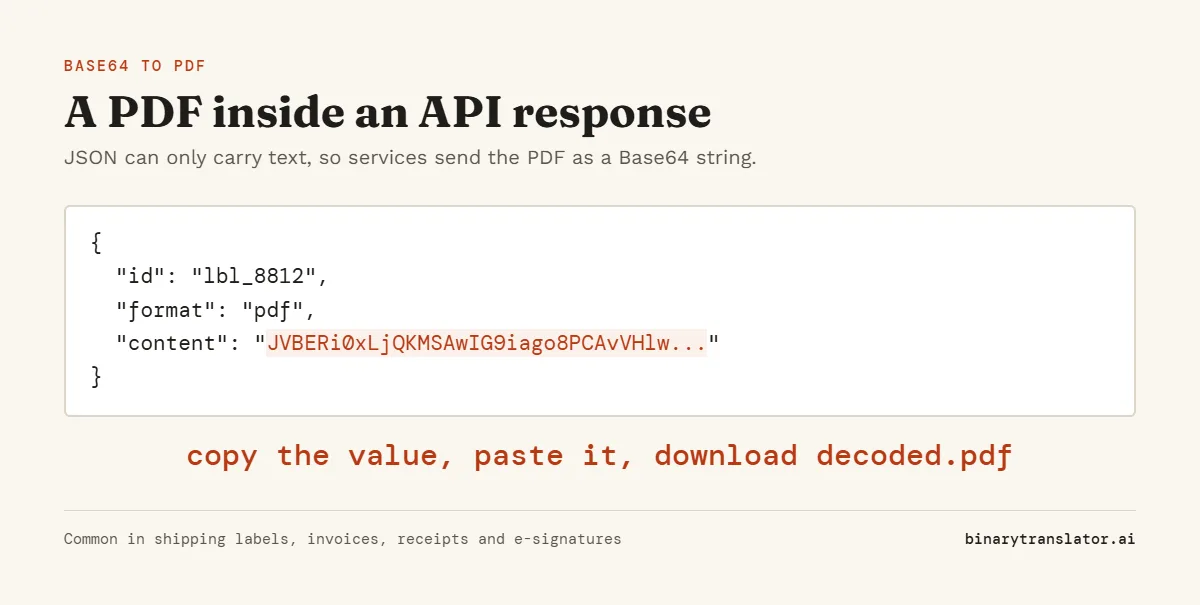
- Copy the Base64 value from the API response, log or database field. It usually starts with
JVBERi0. - Paste it into the box. A
data:application/pdf;base64,prefix is fine and line breaks are ignored. - Check the preview, the size and the page count, then press Download to save
decoded.pdf.
Press Try a sample to load a one-page test PDF. If the decoded data is not a PDF, the tool tells you what it found instead, such as a PNG or a ZIP file. A PNG or JPEG can be previewed and saved with Base64 to image.
Why PDFs arrive as Base64
JSON and XML can only carry text, so a service that returns an invoice, label or report inside a JSON response has to encode the file first. Base64 is the standard choice. You see it in shipping label APIs, e-signature services, payment receipts and email attachments, where the PDF sits in a field like "content" or "document".
Why every PDF starts with JVBERi0
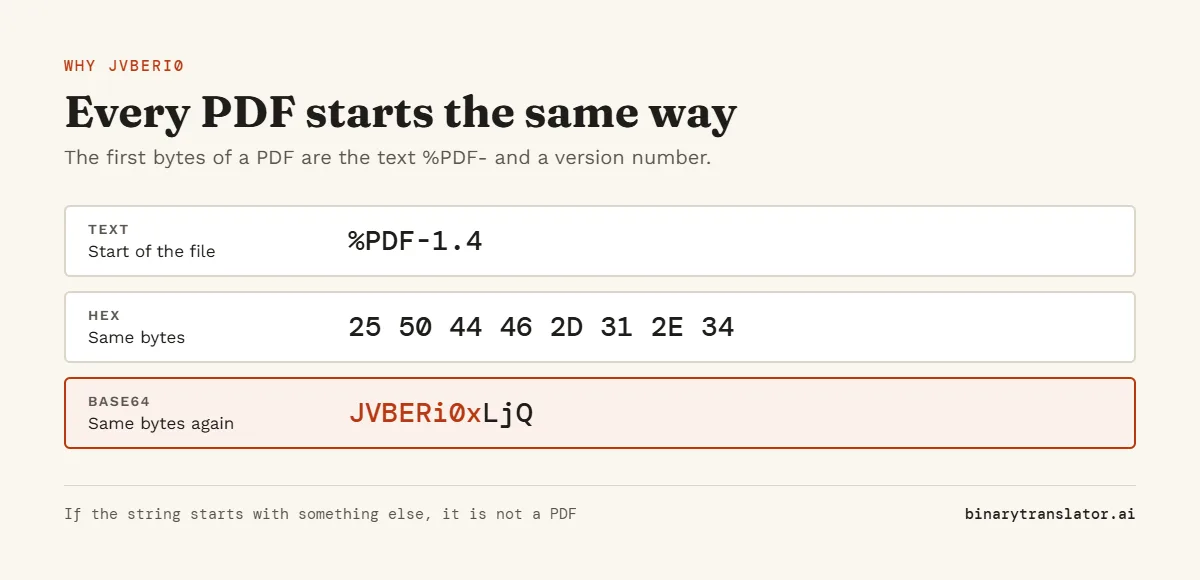
Nearly every PDF file begins with the text %PDF- followed by a version number such as 1.4 or 1.7, a header the Library of Congress PDF format description lists as the file's signature. Encoded in Base64, %PDF-1 becomes JVBERi0x. So if your string starts with JVBERi0, it is almost certainly a PDF. If it starts with something else, the tool shows the type or lets you download the raw bytes to inspect in a hex dump.
| Base64 start | Decoded bytes | File type |
|---|---|---|
| JVBERi0 | %PDF- | PDF document |
| UEsDBA | PK.. | ZIP, DOCX or XLSX |
| iVBORw0KGgo | .PNG | PNG image |
| /9j/ | FF D8 FF | JPEG image |
How to convert a PDF to Base64
Pick PDF to Base64 in the Mode menu, then drop the file on the box or press Open file. Choose plain Base64 for most APIs, a data URI if the receiver expects one, or JSON to get the file name, type and data in one object. Copy the result with the Copy button. A 1 MB PDF becomes about 1.33 MB of Base64.
If the PDF will not open
- The Base64 is cut off. The preview stays blank and the page count is missing. Copy the full value again, since log viewers often truncate long lines.
- The string has escaped characters such as
\nor\/from JSON. Remove the backslashes, or copy the value from a parsed response. - The value was encoded twice. Decode it once with the Base64 decoder, then paste the result here.
- The PDF is password protected. It decodes fine but your PDF viewer will ask for the password.
Frequently asked questions
Can I convert a byte array to PDF?
Yes, if the byte array is Base64 encoded, which is how most languages print one. Paste it here. If you have a list of numbers or hex instead, convert it with the hex editor and download the file.
Is the page count exact?
It is an estimate based on the page objects in the file. It is right for most PDFs but can be off for unusual ones.
Is my PDF uploaded anywhere?
No. The PDF is decoded and previewed inside your browser and never leaves your device.
Why is the preview blank on my phone?
Some mobile browsers do not show PDFs inside a page. Use Download or Open in new tab instead.