Decimal to ASCII converter
Type decimal character codes such as 72 101 108 108 111 and get the text they stand for. Separate the numbers with spaces, commas or new lines. The tool also reads codes written in hex, binary or octal.
Show each character


Runs in your browser. Nothing you type is uploaded.
How to convert decimal to ASCII
- Type or paste the numbers into the left box. Any mix of spaces, commas and line breaks works as a separator.
- Read the text on the right. Each number becomes one character.
- Open "Show each character" to see every code next to its letter, which helps when one number is wrong.
- Change "Codes are" if your numbers are in hex, binary or octal instead of decimal.
Numbers from 0 to 127 are standard ASCII and give the same result everywhere. Codes from 128 to 255 mean different characters in different code pages, so pick the Encoding that matches your source, such as Windows-1252.
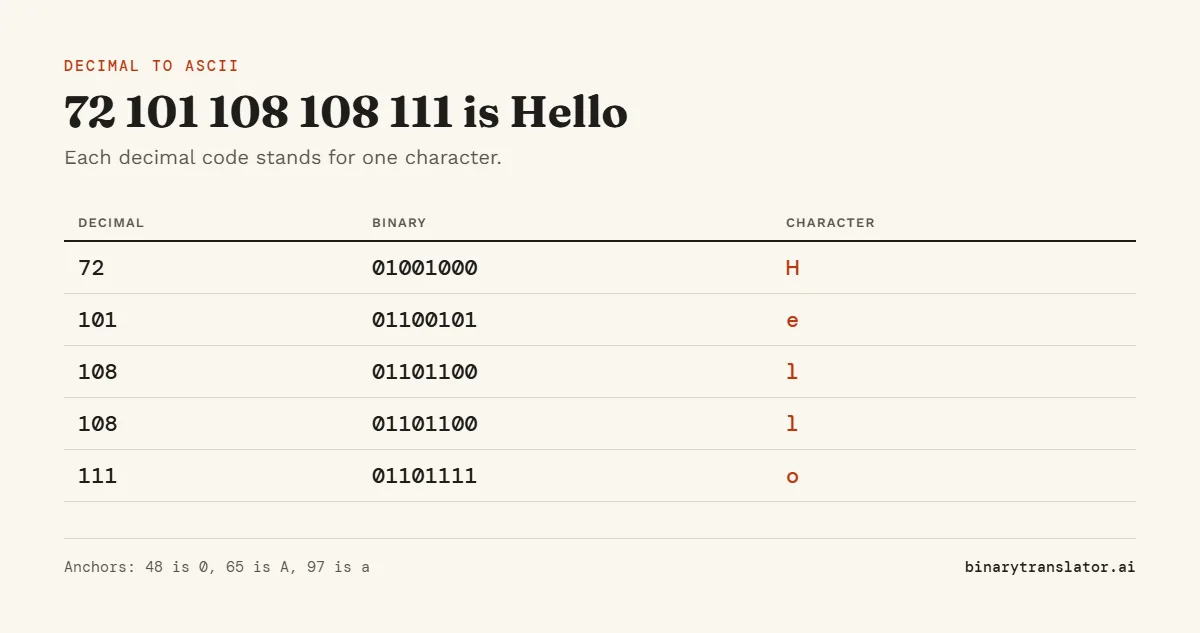
Worked example: 72 101 108 108 111
| Decimal | Character | Why |
|---|---|---|
| 72 | H | 65 is A, so 72 is the 8th letter |
| 101 | e | 97 is a, so 101 is the 5th letter |
| 108 | l | 12th lowercase letter |
| 108 | l | same code, same letter |
| 111 | o | 15th lowercase letter |
The answer is Hello. Three anchor points make most codes easy to read by hand: 48 is the digit 0, 65 is A and 97 is a. Lowercase letters are always exactly 32 more than their uppercase partner.
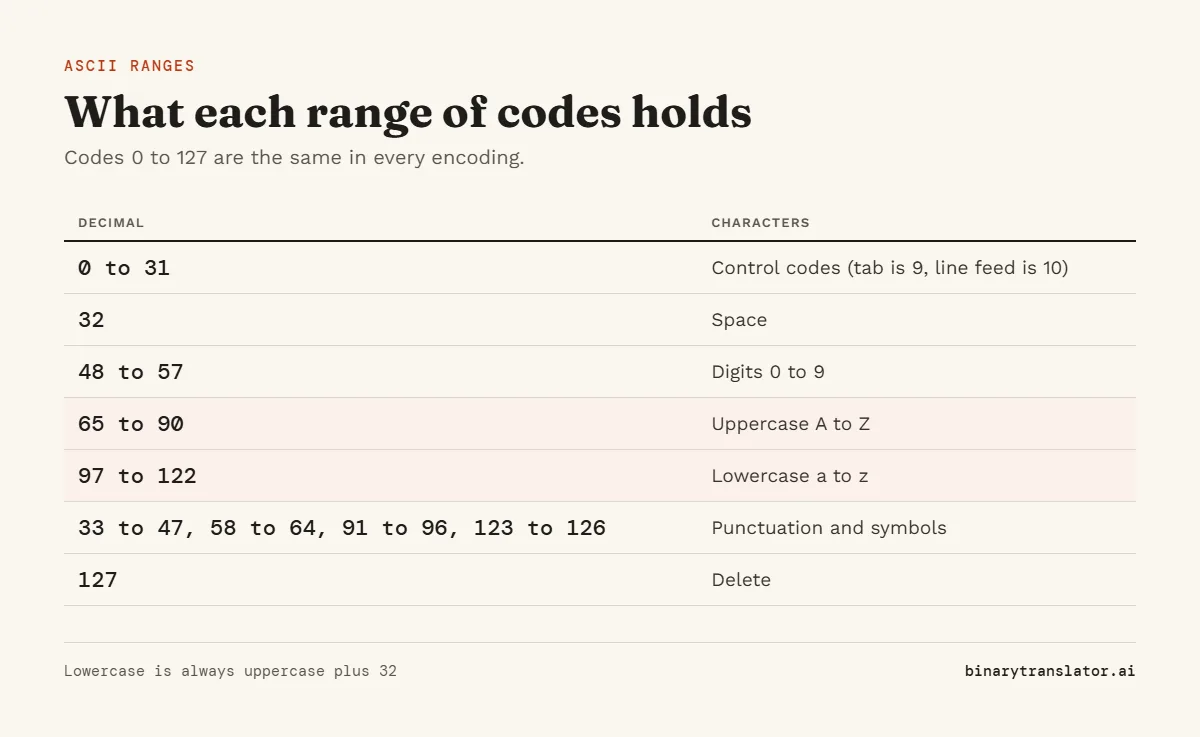
Decimal ASCII ranges
| Decimal | What they are |
|---|---|
| 0 to 31 | Control codes. 9 is tab, 10 is line feed, 13 is carriage return. They do not print. |
| 32 | Space |
| 33 to 47 | Punctuation such as ! " # $ % & and the slash |
| 48 to 57 | Digits 0 to 9 |
| 58 to 64 | : ; < = > ? @ |
| 65 to 90 | Uppercase A to Z |
| 91 to 96 | [ \ ] ^ _ and the backtick |
| 97 to 122 | Lowercase a to z |
| 123 to 126 | { | } ~ |
| 127 | Delete, a control code |
The full list of 128 codes with hex and binary is on the ASCII table page. For 8-bit codes such as 01001000, binary to ASCII reads them straight into text.
Decimal to ASCII in code
Every language has a one-line way to do this. In Python it is chr(72), which the Python docs for chr() describe as the inverse of ord(). In JavaScript it is String.fromCharCode(72). In C you can assign the number to a char. In Excel and Google Sheets, =CHAR(72) returns H. To go the other way you need ord("H"), "H".charCodeAt(0) or =CODE("H"), or the text to ASCII converter for a whole string.
Common mistakes
- Numbers stuck together.
72101is read as one number, which is above 255. Put a space between codes. - Hex codes typed as decimal.
48 65in hex is He, but in decimal it is 0A. Set "Codes are" to Hex for hex input, or paste the codes into hex to text. - Codes above 127 showing the wrong symbol. Switch the Encoding to Windows-1252 or Latin-1, whichever your file uses.
Frequently asked questions
What is 65 in ASCII?
65 is the capital letter A. 97 is the lowercase a.
What is decimal 32 in ASCII?
32 is the space character.
Is decimal to ASCII the same as numbers to letters?
No. ASCII uses fixed codes, so A is 65. A numbers to letters cipher counts A as 1. Use the numbers to letters tool for that.
Can it convert numbers above 255?
No. Each number here is one byte, so the range is 0 to 255. For a code point such as 8364 (the euro sign), use the Unicode code point converter.