Bits to bytes converter
Type a number of bits to get bytes. There are 8 bits in a byte, so 64 bits is 8 bytes. Swap the units to go from bytes to bits, or pick KB, MB and larger units from the menus.
Show the working
Same size in every unit
Conversion table


Runs in your browser. Nothing you type is uploaded.
How many bits are in a byte?
8. A bit is a single 0 or 1, and a byte is a group of 8 bits. That is enough for one letter of plain text: A is stored as 01000001, the 7-bit code from RFC 20, the ASCII standard with a leading 0 to fill the byte. Half a byte, 4 bits, is called a nibble and matches one hex digit.
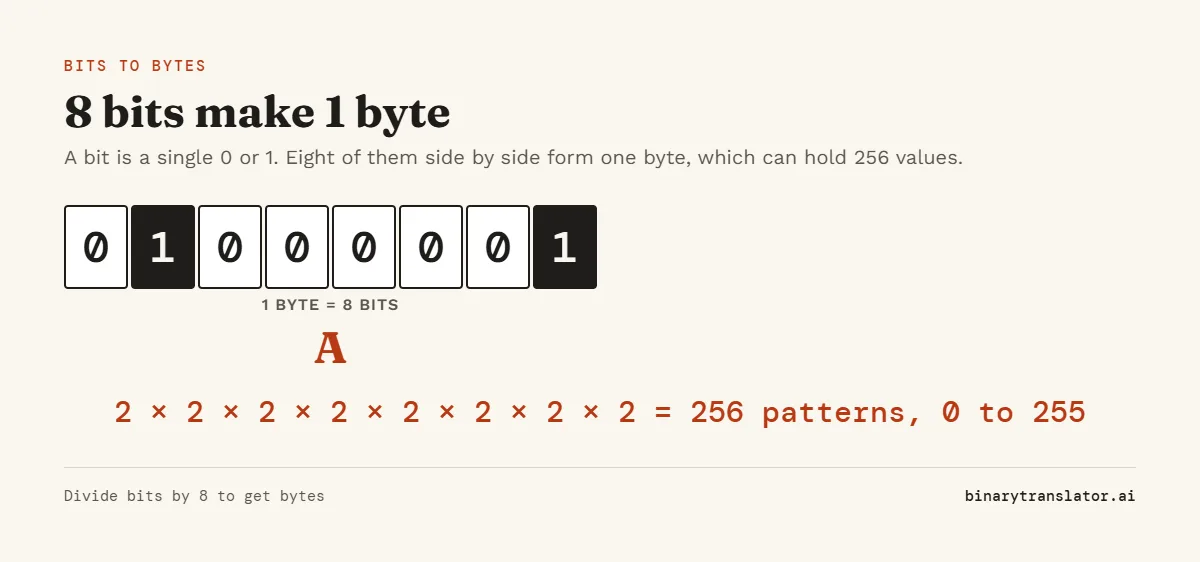
Bits to bytes formula
- Bytes = bits ÷ 8. So 32 bits is 4 bytes.
- Bits = bytes × 8. So 16 bytes is 128 bits.
- The 8 never changes. Only the steps above a byte use 1,000 or 1,024, and the bytes to KB converter shows both.
Bits to bytes chart
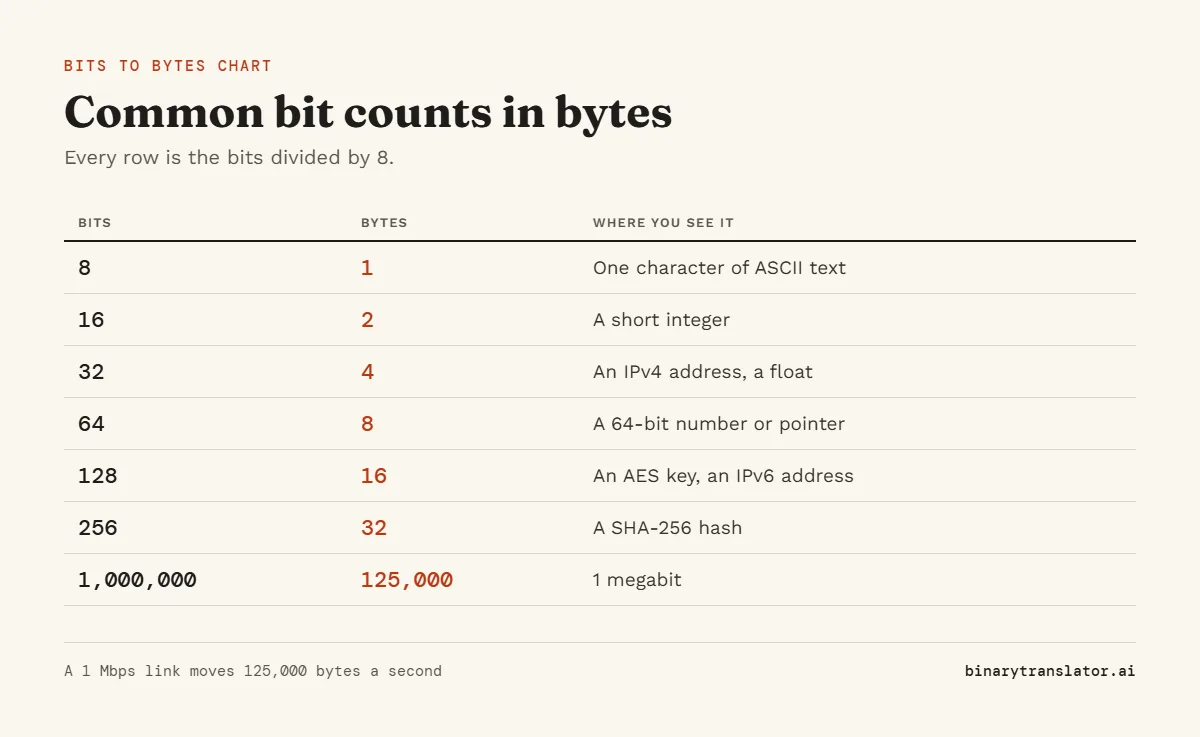
| Bits | Bytes | Bits | Bytes |
|---|---|---|---|
| 1 | 0.125 | 64 | 8 |
| 4 | 0.5 | 128 | 16 |
| 8 | 1 | 256 | 32 |
| 16 | 2 | 512 | 64 |
| 32 | 4 | 1,024 | 128 |
Why is 1 byte 256?
A byte is not 256, but it can hold 256 different patterns. Each of the 8 bits has 2 states, and 28 = 256. Counting from 0, that gives the values 0 to 255, which is why RGB color channels and the parts of an IPv4 address stop at 255. The decimal to binary converter shows the bits behind any of these values.
What is a nibble?
A nibble is 4 bits, half a byte. Four bits give 24 = 16 patterns, from 0000 to 1111, so a nibble holds a value from 0 to 15. That is exactly the range of one hex digit, 0 to F, which is why every byte is written as two hex digits: one per nibble. The name is a play on byte and bite, and you will also see it spelled nybble.
A byte has a high nibble on the left and a low nibble on the right. The letter a is stored as 97:
| Byte | High nibble | Low nibble | Hex |
|---|---|---|---|
| 0110 0001 (97) | 0110 = 6 | 0001 = 1 | 61 |
In code, shift right by 4 to get the high nibble and mask with 0x0F to get the low one. In Python, 97 >> 4 gives 6 and 97 & 0x0F gives 1. Nibbles also hold the digits in binary-coded decimal, where 25 is stored as 0010 0101, and early chips such as the Intel 4004 worked on 4 bits at a time. The binary to hex converter groups any binary number into nibbles, and the BCD converter shows the decimal digit version.
Bits vs bytes in internet speeds
Speeds are sold in bits per second, while files are measured in bytes. A small b means bits and a capital B means bytes. A 100 Mbps plan moves 100 megabits a second, which is 12.5 megabytes a second. The Mbps to Gbps converter handles speed units, and the download time calculator turns both into minutes.
Bigger units
The unit menus also include kilobytes, megabytes and more, and Standard switches between steps of 1,000 and 1,024. To see one size in every unit at once, use the byte converter. Kilobits and megabits are mostly used for speeds: 1 kilobit is 125 bytes and 1 megabit is 125,000 bytes.
Frequently asked questions
Is 1 bit 8 bytes?
No, it is the other way round. 1 byte is 8 bits, so 1 bit is 0.125 bytes.
How many bytes are in a bit?
One eighth of a byte, 0.125.
How many bytes is 64 bits?
8 bytes. 64 ÷ 8 = 8.
How many bits are in 4 bytes?
32 bits. 4 × 8 = 32.
Why are there 8 bits in a byte?
Eight bits fit every character of early text codes with room to spare, and it splits neatly into two 4-bit halves. IBM made it standard in the 1960s and nearly every computer has used it since.
How many bits are in a nibble?
4. Two nibbles make a byte, and one nibble matches one hex digit, so a nibble holds a value from 0 to 15.