BCD converter
Convert a decimal number to BCD, where each digit gets its own 4 bits, or read BCD back as decimal. You can also convert plain binary to BCD and watch the double dabble method step by step.
Show the working


Runs in your browser. Nothing you type is uploaded.
How to use the BCD converter
- Pick what you are starting with in Convert: decimal, binary, BCD bits or packed BCD in hex.
- Type the number. BCD bits can have spaces between the groups of 4.
- Read the BCD result, then the cards for packed BCD, plain binary, excess-3 and the number of bits each one needs.
- Open "Show the working" for the digit table, and for binary input the double dabble steps.
What BCD is
Binary-coded decimal stores a number one decimal digit at a time. Each digit from 0 to 9 becomes its own 4-bit group, using the weights 8, 4, 2 and 1. That is why it is also called 8421 BCD. It is different from plain binary, which converts the whole number at once, as the decimal to binary converter does.
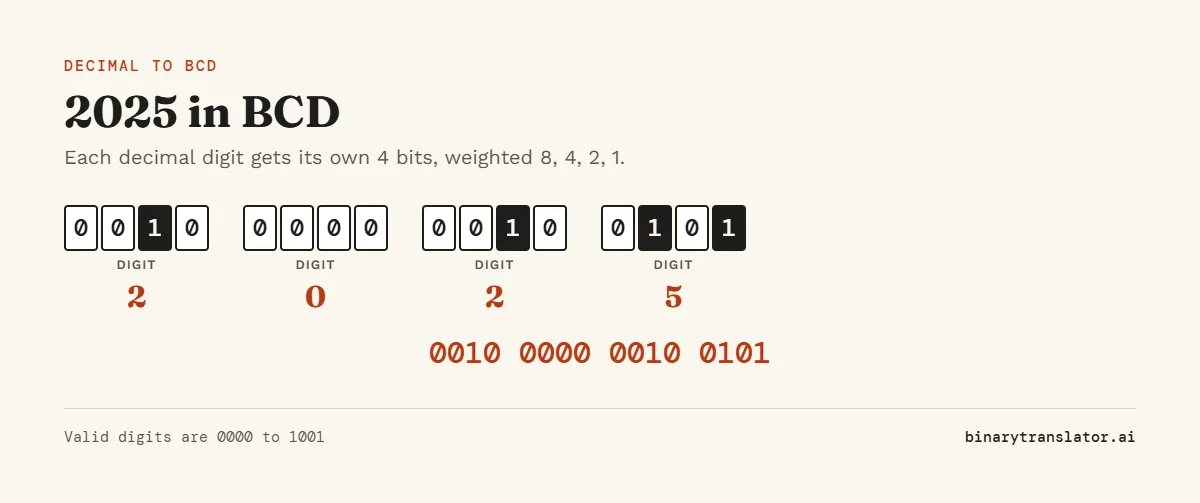
Decimal to BCD example
| Digit | 2 | 0 | 2 | 5 |
|---|---|---|---|---|
| BCD | 0010 | 0000 | 0010 | 0101 |
So 2025 in BCD is 0010 0000 0010 0101, which is 16 bits. In plain binary 2025 is 11111101001, only 11 bits, and the binary to decimal converter reads it back as 2025. BCD uses more space, but each digit stays easy to read and to send to a display.
BCD to decimal
Split the bits into groups of 4 from the right and read each group as a number from 0 to 9. 1001 0111 is 9 and 7, so the answer is 97. The groups 1010 to 1111 (10 to 15) are not valid in BCD. If one shows up, the data is not BCD, and the tool tells you which group is wrong.
BCD table
| Decimal | BCD | Decimal | BCD |
|---|---|---|---|
| 0 | 0000 | 5 | 0101 |
| 1 | 0001 | 6 | 0110 |
| 2 | 0010 | 7 | 0111 |
| 3 | 0011 | 8 | 1000 |
| 4 | 0100 | 9 | 1001 |
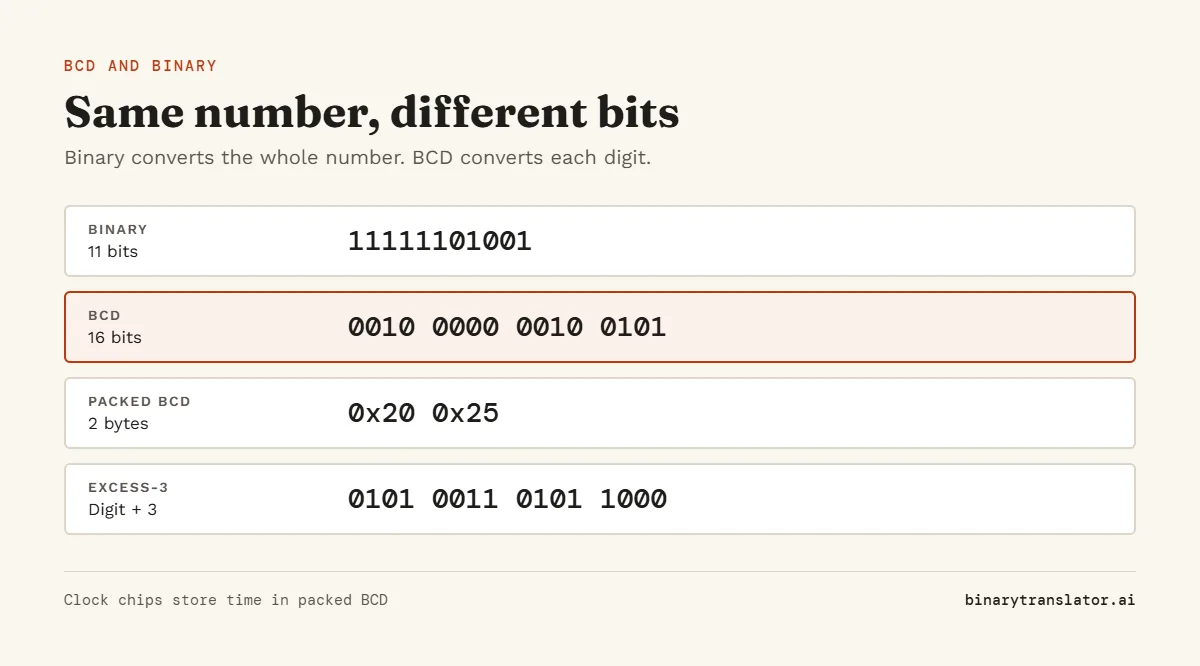
Packed and unpacked BCD
Packed BCD puts two digits in each byte, so 25 is stored as the byte 0x25. It looks like hex but never uses the digits A to F. Unpacked BCD uses a whole byte per digit, with the top 4 bits set to 0. Real-time clock chips such as the DS1307 and DS3231 store the time in packed BCD (the DS3231 datasheet lists every time register in BCD), so the byte for 45 minutes reads 0x45. The binary clock shows the current time in BCD too.
Binary to BCD: double dabble
To convert binary to BCD in hardware, shift the bits in one at a time from the left. Before each shift, add 3 to any BCD digit that is 5 or more. After the last shift the BCD digits hold the answer. The adding of 3 makes a digit carry into the next one at 10 instead of 16. Pick "Binary to BCD" in the tool and open the working to see every shift for numbers up to 16 bits.
Excess-3
Excess-3 is a related code that adds 3 to each digit before writing it in 4 bits, so 0 is 0011 and 9 is 1100. It was used in early computers because the 9s complement is easy to get by flipping the bits. The tool shows it as one of the result cards. For a code where only one bit changes between neighboring values, see the Gray code converter.
Where BCD is used
- Seven-segment displays on clocks, meters and old calculators.
- Real-time clock chips and some GPS and timer modules.
- Financial and COBOL systems that need exact decimal digits.
- The x86 instruction set, which still has BCD adjust instructions.
Frequently asked questions
What is 9 in BCD?
1001. It is the largest valid BCD digit.
What is the BCD of 25?
0010 0101. In packed BCD that is the byte 0x25.
Is BCD the same as binary?
No. Binary converts the whole number, while BCD converts each decimal digit separately. 12 is 1100 in binary but 0001 0010 in BCD.
Why is 1010 not valid BCD?
1010 is 10, and a single decimal digit only goes up to 9.