Image to binary converter
Drop in a picture and get it back as 0s and 1s, much like the text to binary converter does for letters. You can turn it into a black and white grid, where 1 is a dark pixel, or list the real bits of the file. It works the other way too: type rows of 0 and 1 and the tool draws the image.


Runs in your browser. Nothing you type is uploaded.
How to convert an image to binary
- Drop an image on the box or press Open file. PNG, JPEG, GIF, WebP and most other formats work.
- Leave Output on "Black and white pixels" to get a grid of 0s and 1s. Set the Width in columns and move the Threshold until the preview looks right.
- Tick Invert if you want light areas to be 1 instead of dark ones.
- Press Copy or Download to save the text.
Pick "File bytes" in Output to see the file itself as binary, 8 bits per byte, the way it is stored on disk. That is much longer, because a compressed photo of a few hundred KB holds millions of bits. To read the same bytes in hex with their offsets, open the file in the hex editor.
Two meanings of image to binary
| Output | What you get | Good for |
|---|---|---|
| Black and white pixels | One 0 or 1 per pixel in a grid you can see | Art, school projects, LED matrices, puzzles |
| File bytes | The bits of the PNG or JPEG file, header included | Learning how files are stored, debugging |
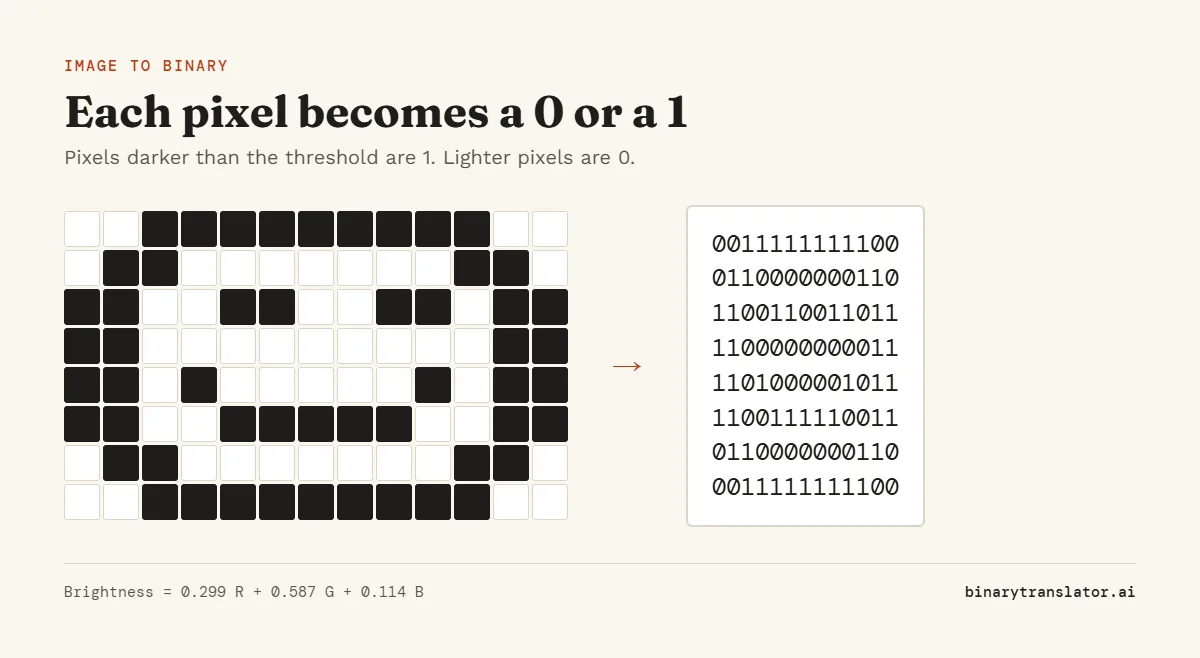
How the black and white grid is made
The tool shrinks the image to the width you chose, then works out how bright each pixel is with the luma formula from ITU-R Recommendation BT.601, 0.299 × red + 0.587 × green + 0.114 × blue. Green counts most because our eyes are most sensitive to it. A pixel darker than the threshold becomes 1 and a lighter one becomes 0. This is called thresholding, and the result is called a binary image.
The height is halved compared with the width because text characters are about twice as tall as they are wide. That way the grid of 0s and 1s keeps the shape of the picture when you paste it into a text editor.
How to turn binary into an image
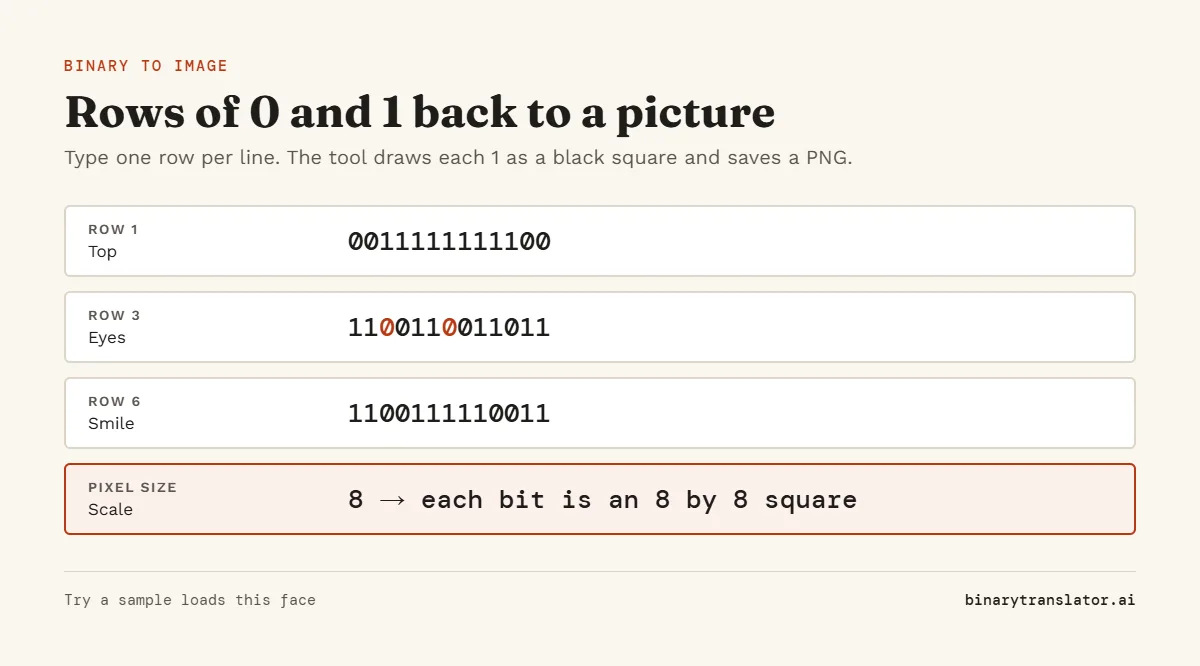
Pick "Binary to image" in Mode and type rows of 0 and 1, one row per line. Each 1 becomes a black square and each 0 a white one. Press Try a sample to see a small smiley face. Set the Pixel size to make the squares bigger, then press Download to save a PNG. If you paste one long line, the tool makes it as square as it can. If your picture is stored as Base64 text rather than 0s and 1s, use Base64 to image to turn it back into a picture.
Tips for a clean result
- Use a simple picture with strong contrast, such as a logo, icon or line drawing. Photos with soft shading turn into noise at small widths.
- Start around 48 to 64 columns. Wider grids keep more detail but are harder to read as text.
- Move the threshold slowly. A low value keeps only the darkest parts, a high value fills in more.
- For an LED matrix or a pixel font, set the width to the exact number of LEDs or pixels you have.
Frequently asked questions
What is a binary image?
An image where every pixel is one of two values, usually black or white, stored as 1 or 0.
Can I get the binary code of a JPEG or PNG file?
Yes. Set Output to File bytes. Every byte of the file is shown as 8 bits.
Why does my image look blocky?
The width sets how many pixels across the grid has. Raise it for more detail.
Is my image uploaded?
No. The image is processed in your browser and never leaves your device.