IP to binary converter
Type an IPv4 address such as 192.168.1.1 to get it in binary, one 8-bit group per part. Add a prefix like /24 to see the subnet mask, network and broadcast address in binary too. Switch the direction to turn binary back into an IP.
Show each part


Runs in your browser. Nothing you type is uploaded.
How to convert an IP address to binary
- Type one or more IP addresses, one per line. A CIDR prefix such as
/26is optional. - Pick an output style: dotted binary, spaced binary, 32 bits with no dots, hex or one single number.
- Open "Show each part" to see how each of the four numbers becomes 8 bits.
The tool also reads addresses written as 32 bits, as hex such as 0xC0A80101, or as one big number such as 3232235777.
The method
An IPv4 address is four bytes. Each part between the dots is a number from 0 to 255, and each one becomes exactly 8 bits, as the binary numbers chart lists for every value in that range. Use the place values 128, 64, 32, 16, 8, 4, 2 and 1, and write 1 under each value you need to add up to the number. The decimal to binary converter shows these steps for one number at a time.
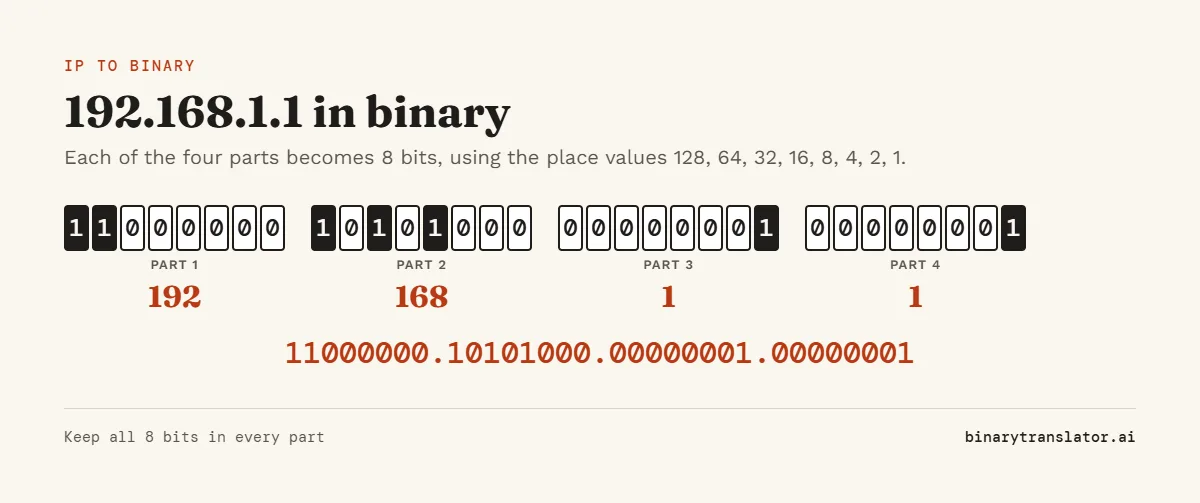
| Part | Decimal | Sum | Binary |
|---|---|---|---|
| 1 | 192 | 128 + 64 | 11000000 |
| 2 | 168 | 128 + 32 + 8 | 10101000 |
| 3 | 1 | 1 | 00000001 |
| 4 | 1 | 1 | 00000001 |
So 192.168.1.1 in binary is 11000000.10101000.00000001.00000001. Always keep all 8 bits in each part, leading zeros included, or the address will not line up with its subnet mask.
Subnet masks in binary
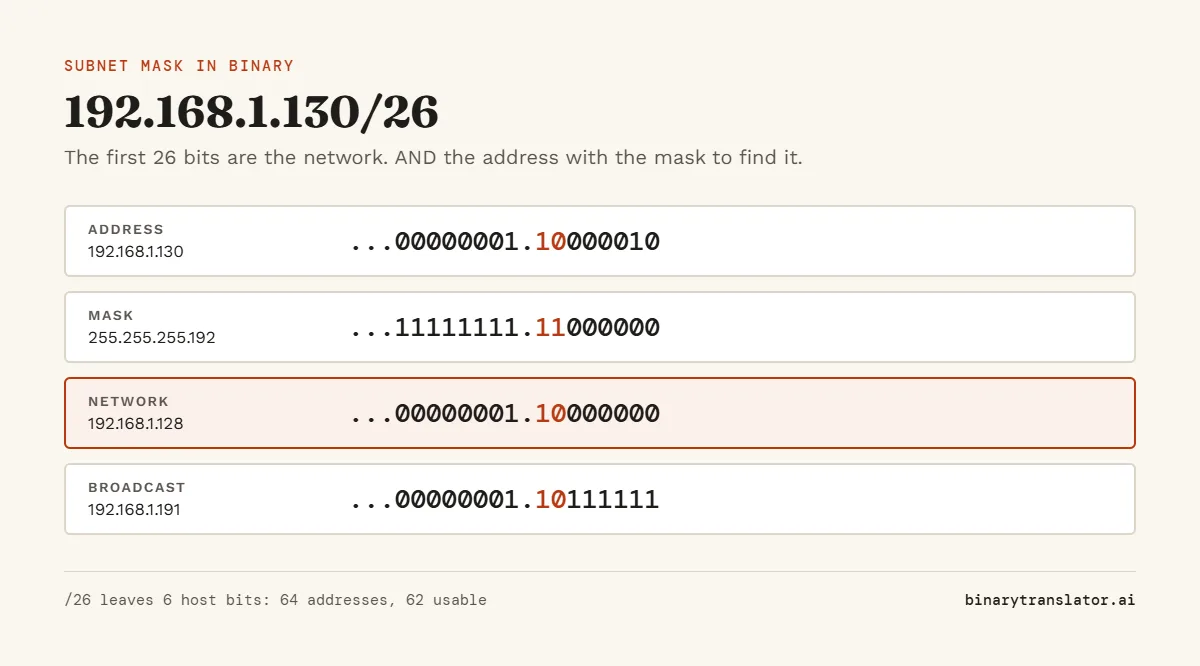
The number after the slash says how many bits from the left belong to the network, the CIDR notation defined in RFC 4632. Those bits are 1 in the mask and the rest are 0. To get the network address, keep the address bits where the mask is 1 and set the others to 0. That is a bitwise AND, which you can check in the binary calculator.
| Example | 192.168.1.130/26 |
|---|---|
| Address | 11000000.10101000.00000001.10000010 |
| Mask (26 ones) | 11111111.11111111.11111111.11000000 = 255.255.255.192 |
| Network | 11000000.10101000.00000001.10000000 = 192.168.1.128 |
| Broadcast | 11000000.10101000.00000001.10111111 = 192.168.1.191 |
| Usable hosts | 26 - 2 = 62 |
Common masks
| Prefix | Mask | Last part in binary | Usable hosts |
|---|---|---|---|
| /8 | 255.0.0.0 | 00000000 | 16,777,214 |
| /16 | 255.255.0.0 | 00000000 | 65,534 |
| /24 | 255.255.255.0 | 00000000 | 254 |
| /25 | 255.255.255.128 | 10000000 | 126 |
| /26 | 255.255.255.192 | 11000000 | 62 |
| /27 | 255.255.255.224 | 11100000 | 30 |
| /30 | 255.255.255.252 | 11111100 | 2 |
How to convert binary to an IP address
Split the 32 bits into four groups of 8, turn each group into decimal, and put dots between them. 00001010 00000000 00000000 00000001 is 10, 0, 0 and 1, which is 10.0.0.1. The binary to decimal tool shows the math for any single group.
Frequently asked questions
Why is an IP address 32 bits?
IPv4 uses four bytes for each address, and 4 × 8 = 32. That allows about 4.3 billion addresses.
Does this work for IPv6?
No. IPv6 addresses are 128 bits written in hex. This tool converts IPv4 only.
Which addresses are private?
10.0.0.0/8, 172.16.0.0/12 and 192.168.0.0/16, the three blocks reserved by RFC 1918 for private networks. The tool labels these when you convert one.
What is 255.255.255.0 in binary?
11111111.11111111.11111111.00000000, which is a /24 mask.