Bytes to KB converter
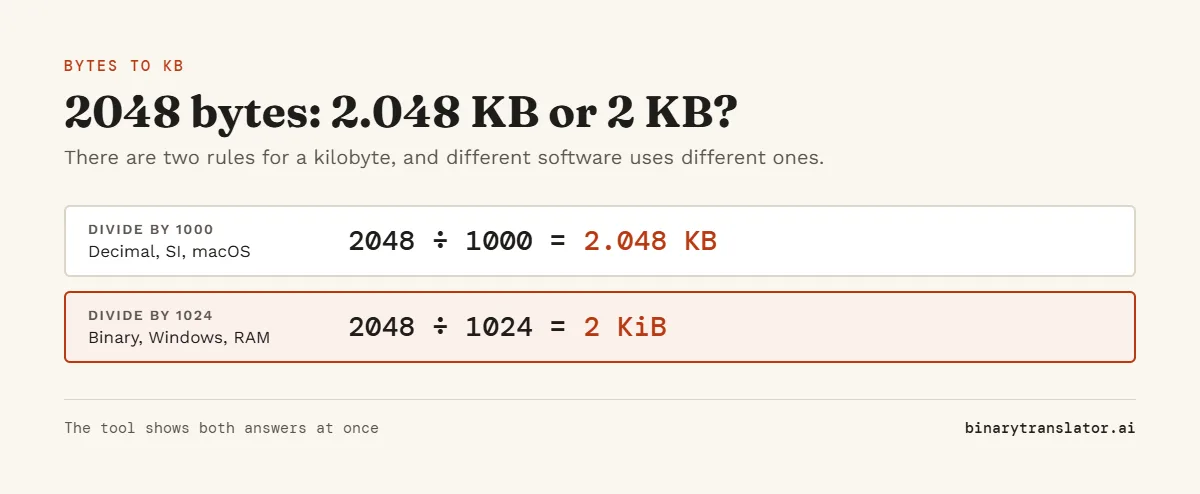
Type a number of bytes to get kilobytes, or use the bytes to MB converter for larger files. With the decimal rule, 2048 bytes is 2.048 KB. With the binary rule that Windows uses, it is 2 KB. The tool shows both, so you can match whatever app you are comparing with.
Show the working
Same size in every unit
Conversion table


Runs in your browser. Nothing you type is uploaded.
How many bytes is 1 KB?
It depends on who is counting. The SI and IEC standards say 1 KB is 1,000 bytes, and that is what drive makers and macOS use. Windows, RAM makers and many older programs count 1 KB as 1,024 bytes, a size the standard calls a kibibyte (KiB). NIST lists the full set of IEC prefixes for binary multiples. Pick the rule under Standard and the tool follows it.
Bytes to KB formula
- Decimal: KB = bytes ÷ 1,000. So 1,500 bytes is 1.5 KB.
- Binary: KB = bytes ÷ 1,024. So 1,536 bytes is 1.5 KB (1.5 KiB).
- KB to bytes is the reverse: multiply by 1,000 or 1,024.
Open "Show the working" under the tool to see the division for your number, and "Same size in every unit" to see it in bits, MB and GB as well. If you start from a unit other than bytes, the byte converter shows every unit at once.
Bytes to kilobytes chart
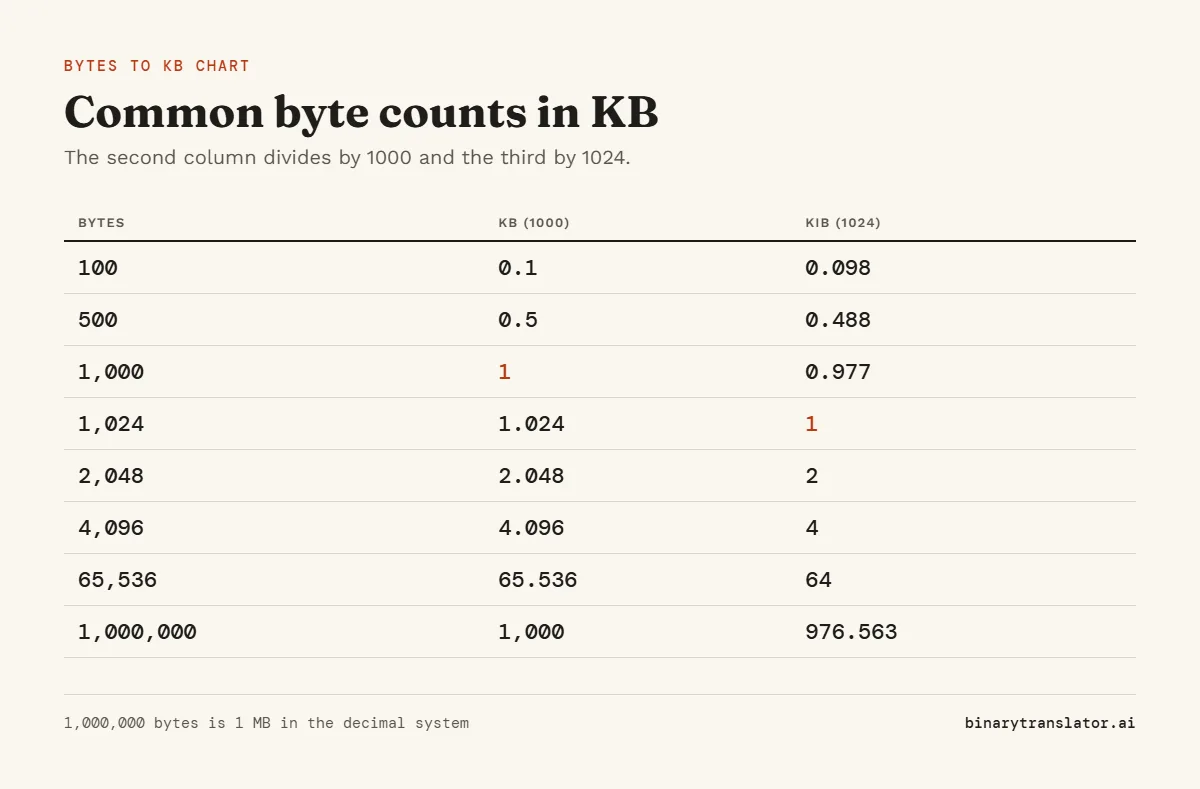
| Bytes | KB (1000) | KB (1024) |
|---|---|---|
| 100 | 0.1 | 0.098 |
| 512 | 0.512 | 0.5 |
| 1,000 | 1 | 0.977 |
| 1,024 | 1.024 | 1 |
| 4,096 | 4.096 | 4 |
| 10,000 | 10 | 9.766 |
| 65,536 | 65.536 | 64 |
| 1,000,000 | 1,000 | 976.563 |
Is 1024 bytes equal to 1 KB?
Under the binary rule, yes. Under the decimal rule, 1,024 bytes is 1.024 KB. The difference is small for one kilobyte, 2.4%, but it adds up at larger units, which is why a 500 GB drive shows as about 465 GB in Windows. The GiB to GB converter explains that gap.
KB to bytes
Press the swap button to go from KB to bytes, or use the KB to MB converter to go one unit up. 1 KB is 1,000 bytes or 1,024 bytes, 4 KB is 4,000 or 4,096, and 64 KB is 64,000 or 65,536. You can also type a unit into the box, such as 3 KB, and the From menu switches by itself.
Frequently asked questions
How do I convert bytes to KB?
Divide the bytes by 1,000 for decimal KB, or by 1,024 for the binary KB that Windows shows.
How many bytes are in 1 KB?
1,000 bytes in the decimal system, or 1,024 bytes in the binary system.
Is a KB bigger than a byte?
Yes. A kilobyte is about a thousand bytes, and a byte is 8 bits.
Is KB bigger than MB?
No. 1 MB is 1,000 KB, or 1,024 KB in the binary system.
Why does my file size differ between Windows and Mac?
Windows divides by 1,024 and macOS divides by 1,000. The file is the same size in bytes.