ASCII to text converter
Paste ASCII codes and read the text: 72 101 108 108 111 is Hello. Codes can be decimal, hex, binary or octal; choose which under "Codes are" above the tool.
Show each character


Runs in your browser. Nothing you type is uploaded.
How to use the converter
- Paste the codes in the left box, separated by spaces, commas or new lines.
- Pick the number system under "Codes are". Decimal is the default; hex, binary and octal work too.
- Read the text on the right. "Show each character" lists every code with its letter.
- Copy, download or share the text. The Text to ASCII tab above the tool goes the other way.
How to convert ASCII codes to text
Each number stands for one character. Look it up in the ASCII table, write down the character, and move to the next number. 72 is H, 101 is e, 108 is l and 111 is o, so the five codes spell Hello.
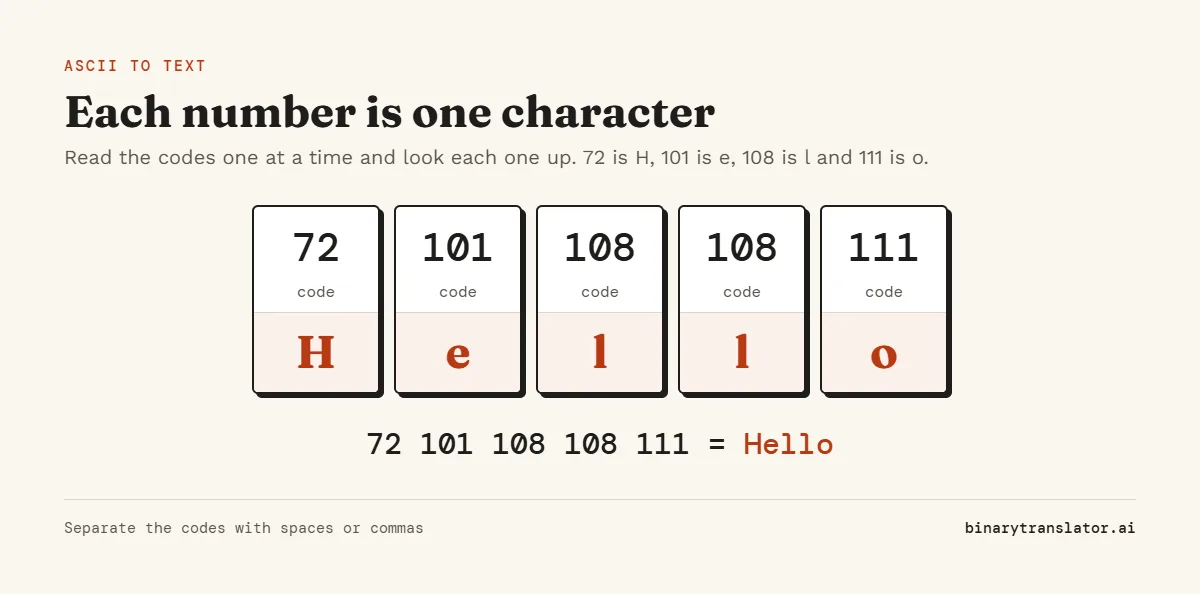
Spaces between the numbers only separate the codes. A space in the text itself has its own code, 32, so "Hi there" is 72 105 32 116 104 101 114 101.
What each range of codes means
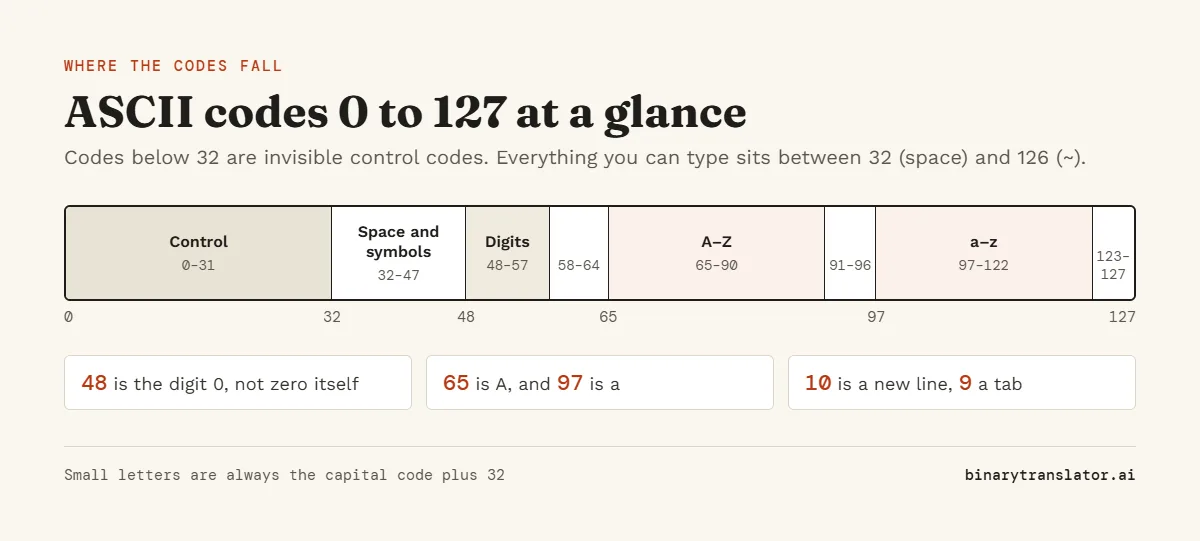
- 0 to 31 are control codes with no visible character, such as 9 (tab), 10 (new line) and 13 (carriage return).
- 32 to 47 are the space and punctuation: ! is 33, the comma is 44 and the period is 46.
- 48 to 57 are the digits 0 to 9.
- 58 to 64 are : ; < = > ? and @.
- 65 to 90 are the capital letters A to Z.
- 91 to 96 are [ \ ] ^ _ and the backtick.
- 97 to 122 are the small letters a to z.
- 123 to 126 are { | } and ~, and 127 is the delete control code.
The full ASCII table lists every code with its hex, octal and binary value, and you can filter it to letters, digits or control codes.
Decimal, hex, binary or octal codes
The same character can be written in any number system. H is 72 in decimal, 48 in hex, 01001000 in binary and 110 in octal. Choose the matching option under "Codes are" and the converter reads the numbers in that base.
| Codes are | Example input | Text |
|---|---|---|
| Decimal | 72 105 | Hi |
| Hex | 48 69 | Hi |
| Binary | 01001000 01101001 | Hi |
| Octal | 110 151 | Hi |
Hex and binary can also be pasted without spaces, because every code has a fixed length. Decimal codes need a separator, since 72105 could be read more than one way. For long hex or binary input the hex to text and binary to ASCII converters have extra options.
Worked examples
| ASCII codes | Text |
|---|---|
| 72 105 | Hi |
| 79 75 | OK |
| 89 69 83 | YES |
| 49 50 51 | 123 |
| 73 32 108 111 118 101 32 121 111 117 | I love you |
| 104 101 108 108 111 32 119 111 114 108 100 | hello world |
Codes above 127
ASCII stops at 127. Codes from 128 to 255 depend on the encoding. In Windows-1252 and ISO-8859-1, 233 is é, but in UTF-8 the same é is two codes, 195 169. If your numbers come from an old Windows file, set Encoding to Windows-1252. If they come from a web page or a modern program, keep UTF-8.
ASCII to text in Python, JavaScript and Excel
Python: ''.join(chr(n) for n in [72, 105]) returns 'Hi'. JavaScript: String.fromCharCode(72, 105) returns "Hi", and MDN's String.fromCharCode() page shows it takes any number of codes. Excel and Google Sheets: =CHAR(72) returns H, and =CODE("H") goes the other way.
Frequently asked questions
What is "I love you" in ASCII?
73 32 108 111 118 101 32 121 111 117. The two 32s are the spaces between the words.
What letter is 72 in ASCII?
Capital H. Small h is 104, which is 32 more.
How do I type a character from its ASCII code?
On Windows, hold Alt and type the code on the number pad: Alt + 65 gives A. On a Mac, open the Character Viewer with Control + Command + Space and search for the character.
Why do some codes show nothing?
Codes 0 to 31 and 127 are control characters, which have no visible symbol. 10 starts a new line and 9 is a tab, so they change the layout instead of printing a letter.
Is ASCII still used today?
Yes. UTF-8, the standard encoding on the web, keeps the first 128 codes exactly as ASCII defines them.
Is my input sent anywhere?
No. The codes are decoded in your browser.