Hex dump tool
Type text or open a file to get a hex dump in the same layout as hexdump -C, xxd or od. Switch to Read a hex dump to paste one back in and get the original text or bytes.


Runs in your browser. Nothing you type is uploaded.
How to make a hex dump
- Type or paste text into the left box, or press Open file to dump a file of up to 20 MB.
- Pick a Format:
hexdump -C,xxd,od -A x -t x1or plain hex with no offsets. For a short string, text to hex also gives plain hex without offsets. - Choose 8, 16 or 32 bytes per line and whether the hex is lowercase.
- Press Copy, or Download to save the dump as a text file.
Large files show the first 256 KB on screen, and Download writes the complete dump. To browse and change the bytes of a file, open it in the hex editor instead.
What is a hex dump?
A hex dump is a text listing of the raw bytes in some data. Each line shows where it starts in the data, the bytes as two-digit hex numbers, and often the same bytes as characters. It lets you see everything in a file, including bytes that a text editor hides, such as line endings, tabs, null bytes and byte order marks.
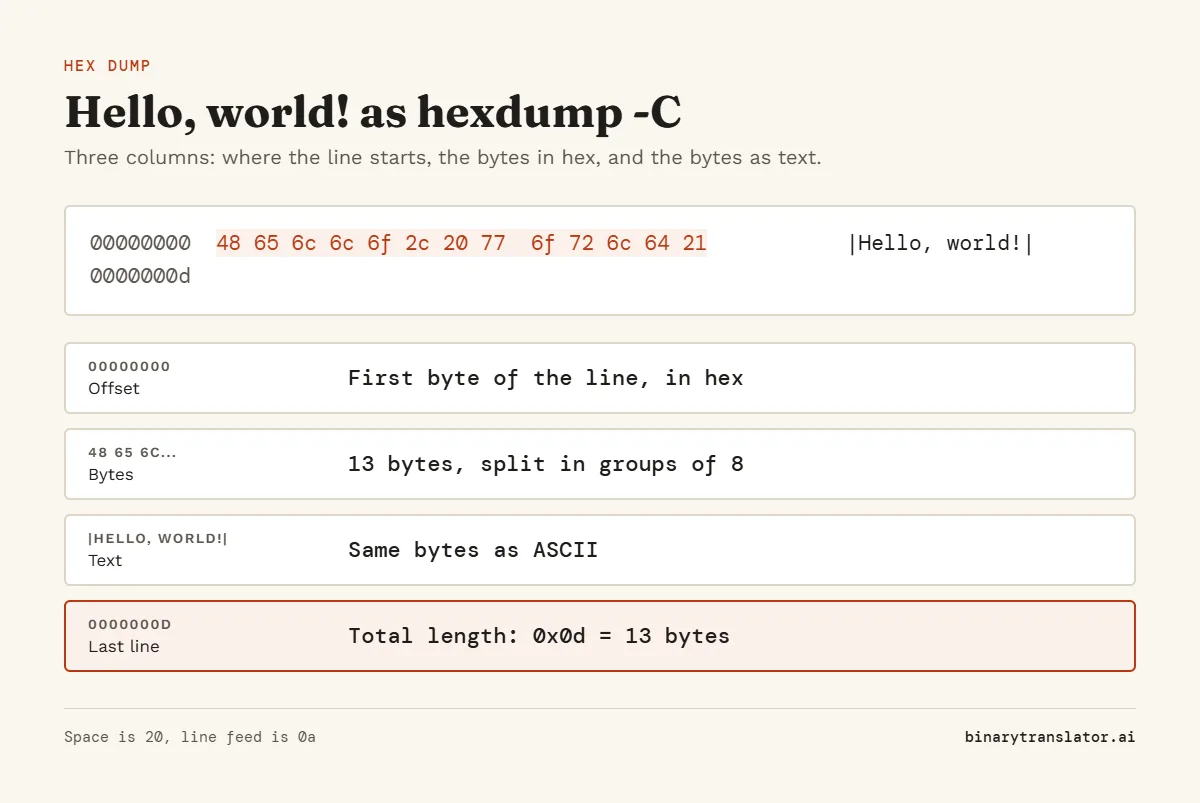
How to read hexdump -C output
Here is Hello, world! as the tool prints it, in the canonical layout from the hexdump manual page:
00000000 48 65 6c 6c 6f 2c 20 77 6f 72 6c 64 21 |Hello, world!|0000000d
| Part | Example | Meaning |
|---|---|---|
| Offset | 00000000 | Position of the first byte on the line, in hex |
| Hex bytes | 48 65 6c ... | One byte per pair of digits, split into two groups of 8 |
| Text column | |Hello, world!| | The same bytes as ASCII, with a dot for non-printable ones |
| Last line | 0000000d | The total length: 0x0d is 13 bytes |
The space byte shows as 20, a line feed as 0a and a carriage return as 0d. If you see 0d 0a at the end of each line, the file uses Windows line endings.
Hex dump formats compared
| Command | Line looks like | Notes |
|---|---|---|
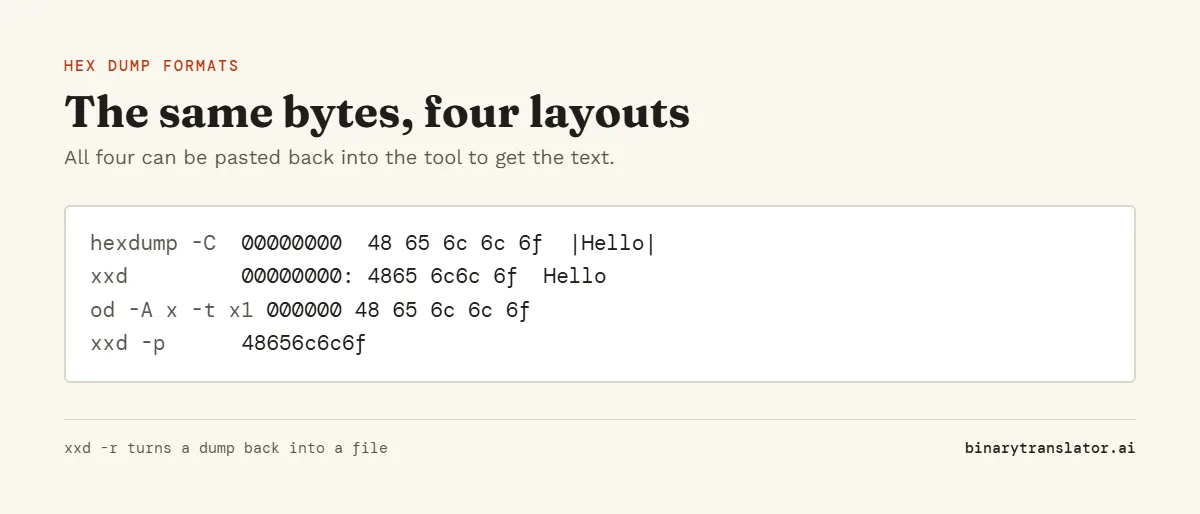
| hexdump -C file | 00000000 48 65 6c 6c ... |Hell| | Called canonical. Common on Linux and macOS |
| xxd file | 00000000: 4865 6c6c 6f2c ... Hello, | Bytes in pairs. Comes with Vim |
| od -A x -t x1 file | 0000000 48 65 6c 6c ... | POSIX tool, no text column |
| xxd -p file | 48656c6c6f2c... | Plain hex, no offsets |
How to turn a hex dump back into text
Pick Read a hex dump in the Mode menu and paste the dump. The tool drops the offsets and the text column, reads the hex pairs and shows the result as text. It reads all four formats above, and plain hex pairs with no dump layout also work in hex to text. If the bytes are not plain text, press Download to save them as a binary file. On the command line the same job is xxd -r dump.txt file.bin, and the xxd command guide covers its other options.
Frequently asked questions
What is a hex dump used for?
Debugging file formats, network packets and encoding problems, and sharing exact bytes in a bug report.
How do I make a hex dump in Linux?
Run hexdump -C file or xxd file. Add | head to see only the start of a large file.
What does the dot in the text column mean?
The byte is not a printable ASCII character, such as a control code or a byte above 127.
Does the tool send my file anywhere?
No. The dump is made in your browser and the file stays on your device.