Free binary worksheets with answer keys
Three printable worksheets for teaching binary, ASCII and hexadecimal. Each PDF has the worksheet on page 1 and a full answer key on page 2. They print on US Letter paper, and you're free to copy them for your class.
Which worksheet to start with
Start with binary to decimal. The other two build on it: the secret messages sheet turns letters into 8-bit codes, and the hexadecimal sheet groups bits in fours. A student who can work out that 01001101 is 77 by hand is ready for either one.
Binary to decimal worksheet
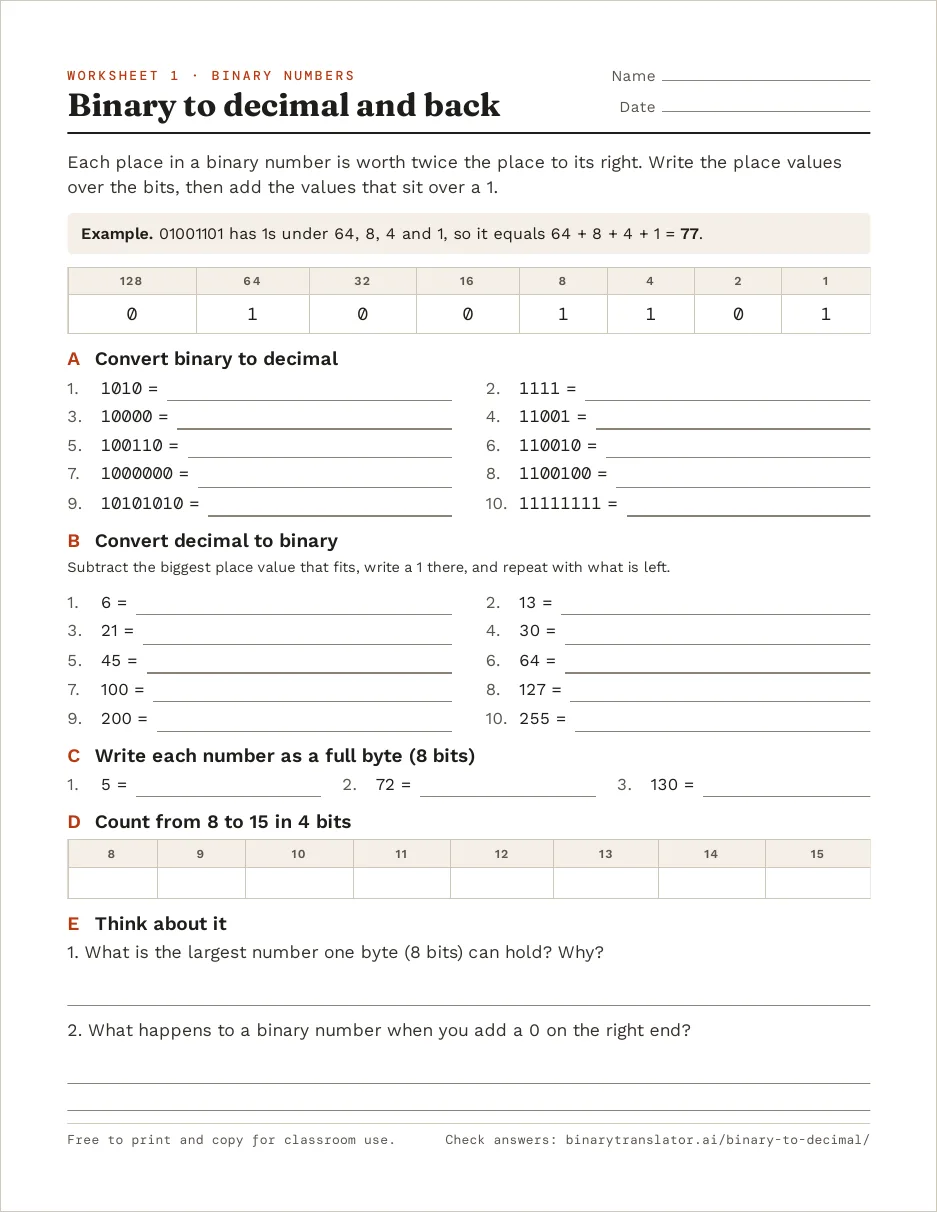
The sheet opens with one worked example. 01001101 has 1s under the place values 64, 8, 4 and 1, so it equals 64 + 8 + 4 + 1 = 77. Students then convert 10 binary numbers to decimal and 10 decimal numbers back to binary, from 6 up to 255.
Part C asks for each answer as a full byte, so 5 becomes 00000101, because computers store numbers in fixed 8-bit slots. Part D has students count from 8 to 15 in 4 bits, and the last two questions ask why one byte stops at 255 and what adding a 0 on the right end does to a number.
Download the binary to decimal worksheet (PDF, 2 pages). Students can check an answer in the binary to decimal converter, which shows the place value under each bit.
Secret messages in binary worksheet
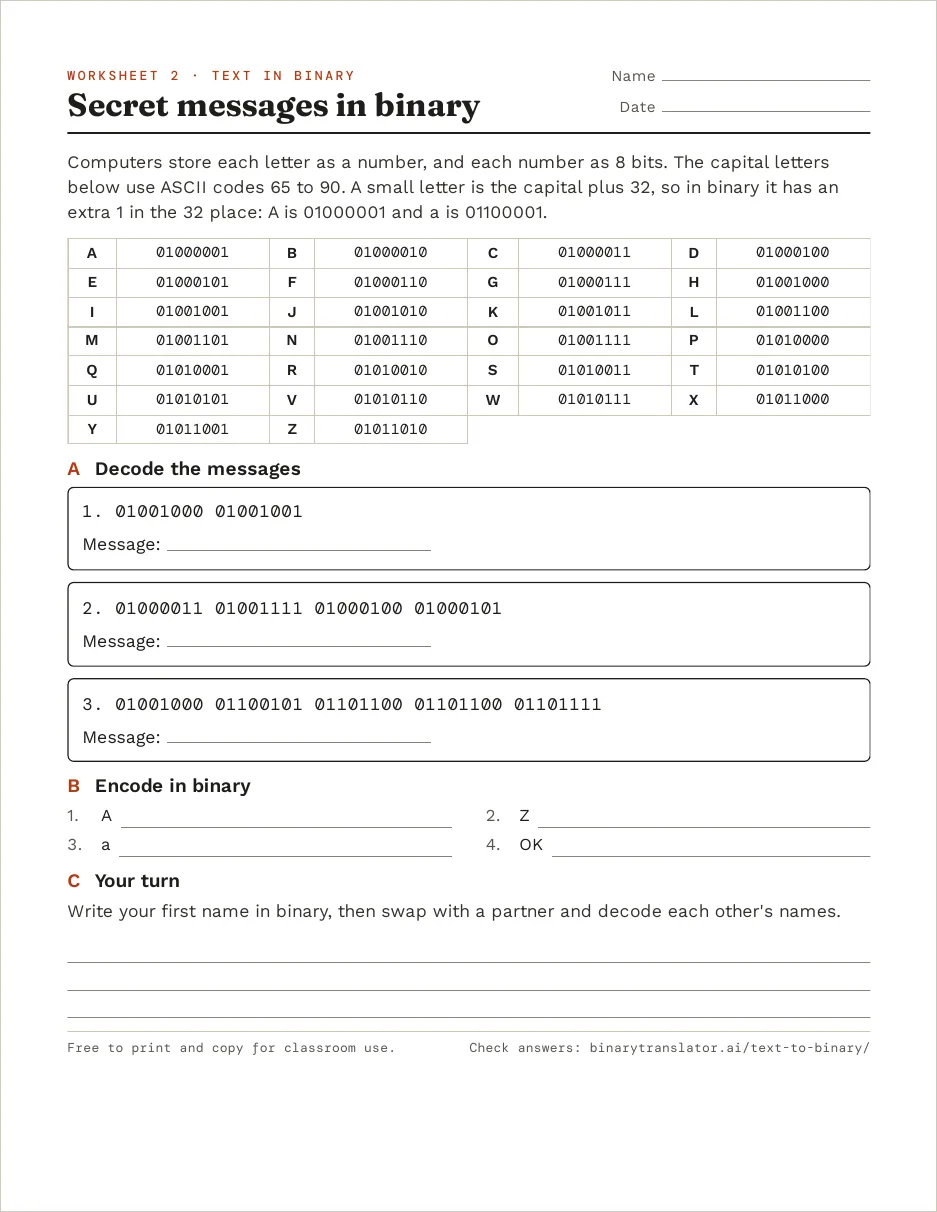
Here the answer to each question is a word, not a number, which makes it a good second lesson. The sheet prints the 8-bit ASCII code for every capital letter from A (01000001) to Z (01011010). Students decode three messages and encode four short ones.
The third message, Hello, mixes capital and small letters on purpose. A small letter is its capital plus 32, so its code has an extra 1 in the 32 place: A is 01000001 and a is 01100001. Students who spot that can decode any small letter from the capitals table. The sheet ends with each student writing their first name in binary and swapping with a partner.
Download the secret messages worksheet (PDF, 2 pages). A partner can check a name in the text to binary converter, and the full ASCII table has codes for digits and punctuation too.
Hexadecimal worksheet
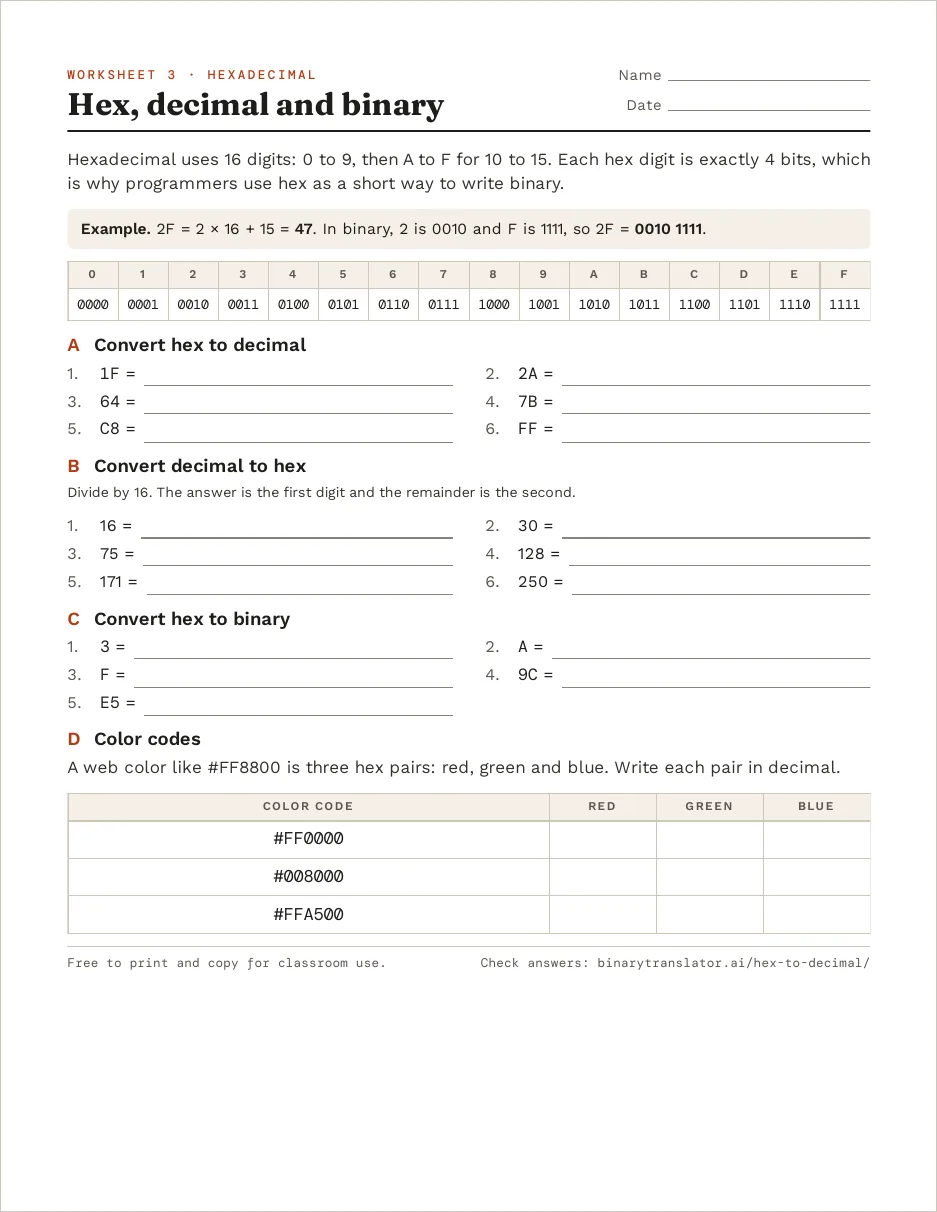
Each hex digit stands for exactly 4 bits, and the sheet opens with that table, from 0 (0000) to F (1111). The worked example is 2F: 2 × 16 + 15 = 47 in decimal, and 0010 1111 in binary, because 2 is 0010 and F is 1111.
Students convert 6 hex values to decimal, 6 decimal values to hex and 5 hex values to binary. The last part splits web colors such as #FFA500 into red, green and blue, which gives hex a use students have already seen in design apps.
Download the hexadecimal worksheet (PDF, 2 pages). Answers can be checked in the hex to decimal converter, and the hex to RGB converter shows the actual color for any code.
Tips for teaching with these sheets
- Do the first two questions of part A together on the board, writing the place values over the bits. When an answer is off later, check that step first: a bit under the wrong place value changes the total by a power of 2.
- Print page 1 only for students. The answer key is always page 2, so choose page 1 in the print dialog.
- For a longer unit, the binary numbers chart goes from 0 to 1023 and the hexadecimal table covers 00 to FF with binary beside each value. Both have a Print button. For lessons with no computer at all, try the CS Unplugged binary activities from the University of Canterbury.
Frequently asked questions
Can I share these worksheets with other teachers?
Yes. You can print, copy and share them for classroom use. Linking to this page instead of re-uploading the PDF means people always get the latest version.
What age are these worksheets for?
They suit a first unit on binary in middle school or an intro computer science course. The binary sheet needs only addition, and the hex sheet also needs multiplying and dividing by 16.
Do the worksheets use ASCII or Unicode?
ASCII. The codes for A to Z and a to z are the same in UTF-8, so the answers also match what a computer stores today.
What paper size are the PDFs?
US Letter. On A4 paper, choose Fit to page in the print dialog and nothing gets cut off.