ASCII to binary converter
Type text and get the ASCII binary for every character: Hi is 01001000 01101001. Choose 8-bit or 7-bit output, 4-bit groups or a 0b prefix, and see each character's decimal and hex code as well.
Show each character


Runs in your browser. Nothing you type is uploaded.
How to use the converter
- Type or paste text in the left box.
- Read the binary on the right, one group of 8 bits per character.
- Pick 7-bit, 4-bit groups or a
0bprefix from the Output menu, and a separator under the box if you need commas or new lines. - Open "Show each character" to see the decimal, hex and binary code of every character, then copy, download or share.
How to convert ASCII to binary
Every ASCII character has a code from 0 to 127. Converting to binary takes three steps: look up the code, write it in base 2, and pad it with zeros on the left to 8 bits.
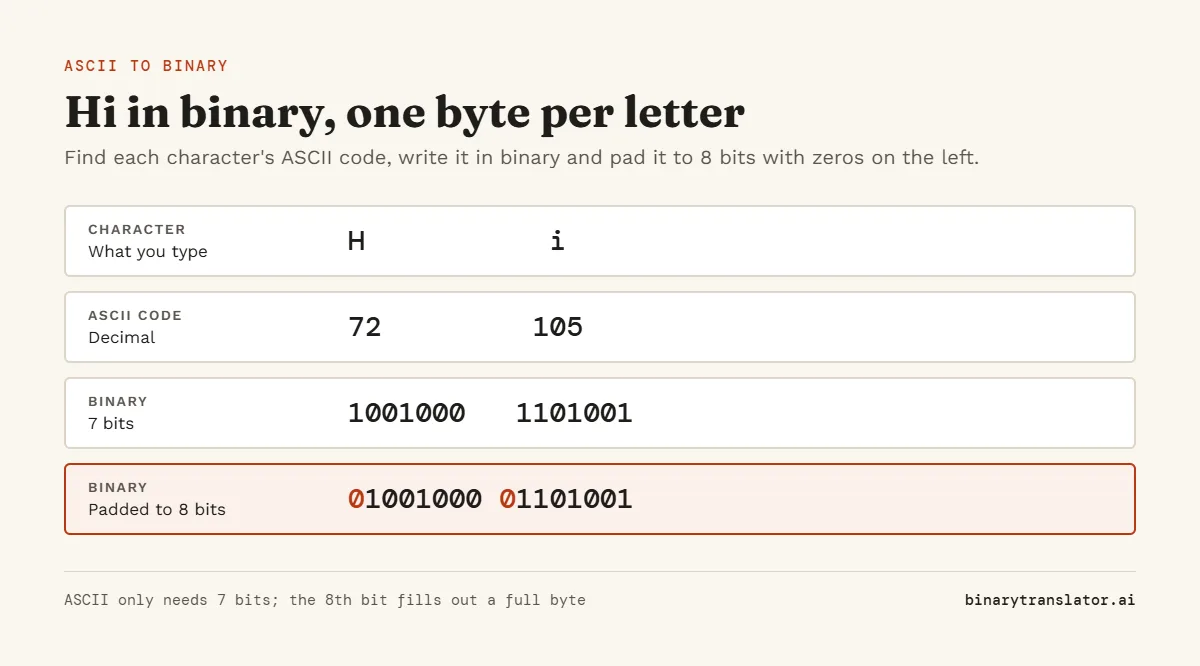
H is code 72. 72 is 64 + 8, so the bits worth 64 and 8 are 1 and the rest are 0: 1001000. Padded to a full byte that is 01001000. The small i is 105, which is 64 + 32 + 8 + 1, or 01101001.
Writing a code in binary
Start from the largest power of 2 that fits (64 for any letter) and subtract. Every power you use is a 1 bit, every power you skip is a 0. The decimal to binary converter shows the same thing with repeated division by 2 if you prefer that method.
Patterns in ASCII binary
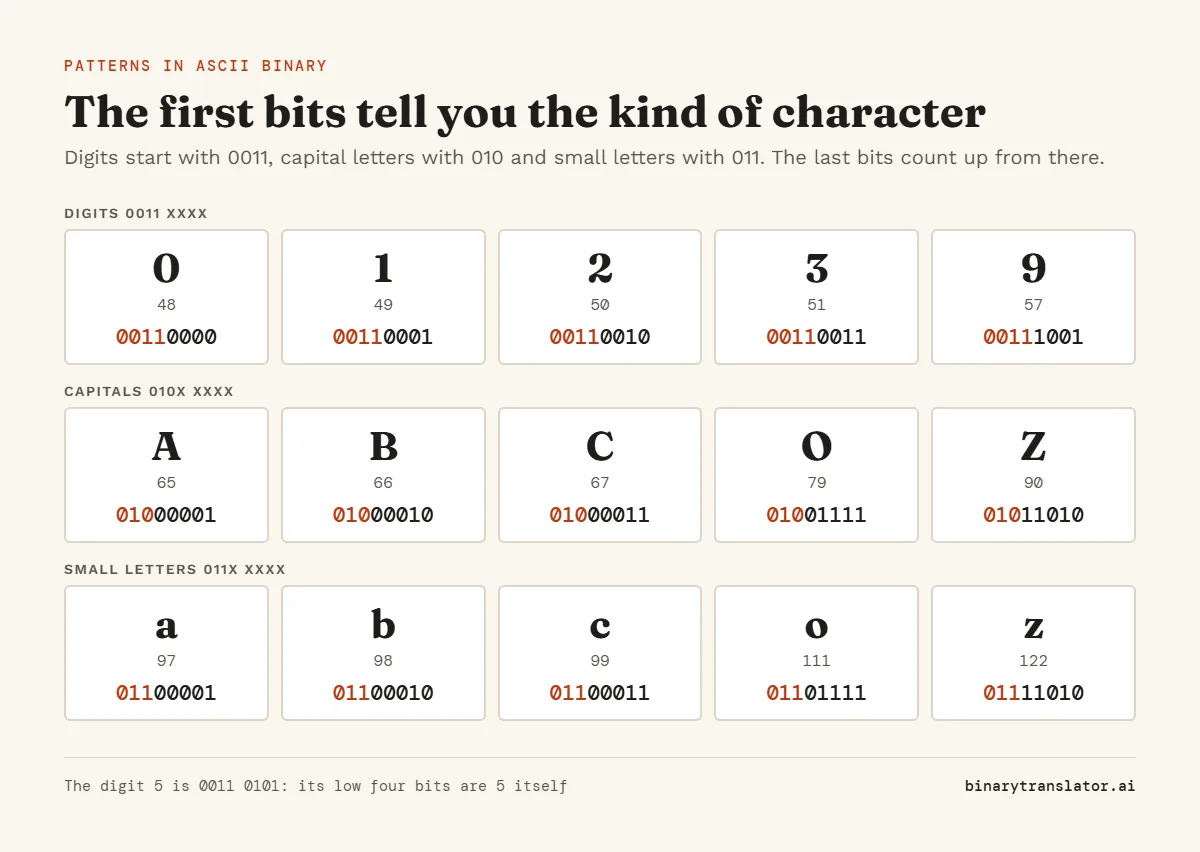
The layout of ASCII makes the binary easy to read once you know it. Digits start with 0011 and their last four bits are the digit itself, so 7 is 00110111. Capital letters start with 010 and small letters with 011. The only difference between A (01000001) and a (01100001) is the bit worth 32, which is why changing case is a single bit flip.
ASCII to binary table
| Character | Decimal | Binary |
|---|---|---|
| space | 32 | 00100000 |
| ! | 33 | 00100001 |
| 0 | 48 | 00110000 |
| 1 | 49 | 00110001 |
| A | 65 | 01000001 |
| B | 66 | 01000010 |
| H | 72 | 01001000 |
| I | 73 | 01001001 |
| O | 79 | 01001111 |
| Z | 90 | 01011010 |
| a | 97 | 01100001 |
| e | 101 | 01100101 |
| i | 105 | 01101001 |
| o | 111 | 01101111 |
| z | 122 | 01111010 |
For every code from 0 to 127, with hex and octal as well, see the ASCII table.
Words in binary
| Text | Binary |
|---|---|
| Hi | 01001000 01101001 |
| Hi! | 01001000 01101001 00100001 |
| OK | 01001111 01001011 |
| Yes | 01011001 01100101 01110011 |
| love | 01101100 01101111 01110110 01100101 |
| Hello | 01001000 01100101 01101100 01101100 01101111 |
A space between words is a character too, 00100000, so "I love you" takes 10 bytes, not 8.
7-bit or 8-bit output
ASCII itself only needs 7 bits. Pick 7-bit in the Output menu if a course or protocol asks for it: H becomes 1001000. Most software works in whole bytes, so 8-bit is the default. Characters outside ASCII, such as é or €, cannot be written in 7 bits. In 8-bit mode with UTF-8 they take two or more bytes each: é is 11000011 10101001. The text to binary converter covers that kind of text in more detail.
ASCII to binary in Python and JavaScript
Python: ' '.join(format(ord(ch), '08b') for ch in "Hi") returns '01001000 01101001'. The '08b' format pads to 8 bits: b means base 2 and the leading 0 fills with zeros, as Python's format specification docs describe. JavaScript: [..."Hi"].map(ch => ch.charCodeAt(0).toString(2).padStart(8, "0")).join(" ") returns the same string.
Frequently asked questions
What is A in binary?
01000001. Capital A is ASCII code 65, which is 64 + 1.
What is "hello" in binary?
01101000 01100101 01101100 01101100 01101111. Small h is 104, e is 101, l is 108 and o is 111.
How many bits does one ASCII letter use?
Seven bits are enough for every ASCII code, but letters are almost always stored as 8 bits, one byte each.
Do upper and lower case letters have different binary?
Yes. They differ in one bit, the one worth 32. B is 01000010 and b is 01100010.
How do I convert the binary back to text?
Use the binary to ASCII converter, or click its tab above the tool.
Is my text sent anywhere?
No. The conversion happens in your browser.