Binary basics
Powers of 2
Every bit doubles what a computer can count. Here is the full chart from 20 to 264, and where each number shows up.
Powers of 2 are the numbers you get by doubling, starting from 1: 1, 2, 4, 8, 16, 32, 64, 128, 256, 512 and 1,024. 2 to the power of 5, written 25, means five 2s multiplied together: 2 × 2 × 2 × 2 × 2 = 32. You keep meeting these numbers in computing because every extra bit doubles how many values a computer can store, which is why 256, 1,024 and 65,536 turn up so often.
Key takeaways
| A power of 2 is 2 multiplied by itself. Each step doubles the last: 1, 2, 4, 8, 16. | |
| n bits give 2 to the power of n patterns, which is why 256 and 1,024 keep turning up. | |
| In binary every power of 2 is a 1 followed by zeros, and one less is a row of 1s: 255 is 11111111. | |
| 1 KiB is 1,024 bytes, but drive makers count 1 KB as 1,000, so a 1 TB drive shows about 931 GB. | |
| 2 to the 10th is 1,024, close to 1,000, so every 10 steps in the exponent adds about three zeros. |
The values you will meet most often:
| Power | Value | Power | Value |
|---|---|---|---|
20 | 1 | 27 | 128 |
21 | 2 | 28 | 256 |
22 | 4 | 29 | 512 |
23 | 8 | 210 | 1,024 |
24 | 16 | 212 | 4,096 |
25 | 32 | 216 | 65,536 |
26 | 64 | 220 | 1,048,576 |
Work out any power of 2
Type an exponent and the box shows the exact value, how many digits it has and what it looks like in binary. It handles whole numbers from -64 up to 1,000.
Powers of 2 chart from 0 to 64
The full list up to 264, with a note wherever the number shows up in computing.
| Power | Value | Where you meet it |
|---|---|---|
20 | 1 | any number to the power of 0 is 1 |
21 | 2 | one bit holds 2 values |
22 | 4 | |
23 | 8 | one octal digit |
24 | 16 | one hex digit |
25 | 32 | |
26 | 64 | |
27 | 128 | ASCII has 128 codes |
28 | 256 | values in one byte |
29 | 512 | |
210 | 1,024 | 1 KiB in bytes |
211 | 2,048 | |
212 | 4,096 | |
213 | 8,192 | |
214 | 16,384 | |
215 | 32,768 | 32,767 is the top of a signed 16-bit number |
216 | 65,536 | values in 16 bits |
217 | 131,072 | |
218 | 262,144 | |
219 | 524,288 | |
220 | 1,048,576 | 1 MiB in bytes |
221 | 2,097,152 | |
222 | 4,194,304 | |
223 | 8,388,608 | |
224 | 16,777,216 | colors in 24-bit RGB |
225 | 33,554,432 | |
226 | 67,108,864 | |
227 | 134,217,728 | |
228 | 268,435,456 | |
229 | 536,870,912 | |
230 | 1,073,741,824 | 1 GiB in bytes |
231 | 2,147,483,648 | 2,147,483,647 is the top of a signed 32-bit number |
232 | 4,294,967,296 | IPv4 addresses |
233 | 8,589,934,592 | |
234 | 17,179,869,184 | |
235 | 34,359,738,368 | |
236 | 68,719,476,736 | |
237 | 137,438,953,472 | |
238 | 274,877,906,944 | |
239 | 549,755,813,888 | |
240 | 1,099,511,627,776 | 1 TiB in bytes |
241 | 2,199,023,255,552 | |
242 | 4,398,046,511,104 | |
243 | 8,796,093,022,208 | |
244 | 17,592,186,044,416 | |
245 | 35,184,372,088,832 | |
246 | 70,368,744,177,664 | |
247 | 140,737,488,355,328 | |
248 | 281,474,976,710,656 | |
249 | 562,949,953,421,312 | |
250 | 1,125,899,906,842,624 | 1 PiB in bytes |
251 | 2,251,799,813,685,248 | |
252 | 4,503,599,627,370,496 | |
253 | 9,007,199,254,740,992 | JavaScript counts every whole number exactly up to here |
254 | 18,014,398,509,481,984 | |
255 | 36,028,797,018,963,968 | |
256 | 72,057,594,037,927,936 | |
257 | 144,115,188,075,855,872 | |
258 | 288,230,376,151,711,744 | |
259 | 576,460,752,303,423,488 | |
260 | 1,152,921,504,606,846,976 | 1 EiB in bytes |
261 | 2,305,843,009,213,693,952 | |
262 | 4,611,686,018,427,387,904 | |
263 | 9,223,372,036,854,775,808 | top of a signed 64-bit number is this minus 1 |
264 | 18,446,744,073,709,551,616 | values in 64 bits |
Why powers of 2 matter in computing
One bit has two states. Two bits have four patterns, three bits have eight, and in general n bits have 2n patterns. That one fact explains most of the "odd" numbers in computing.
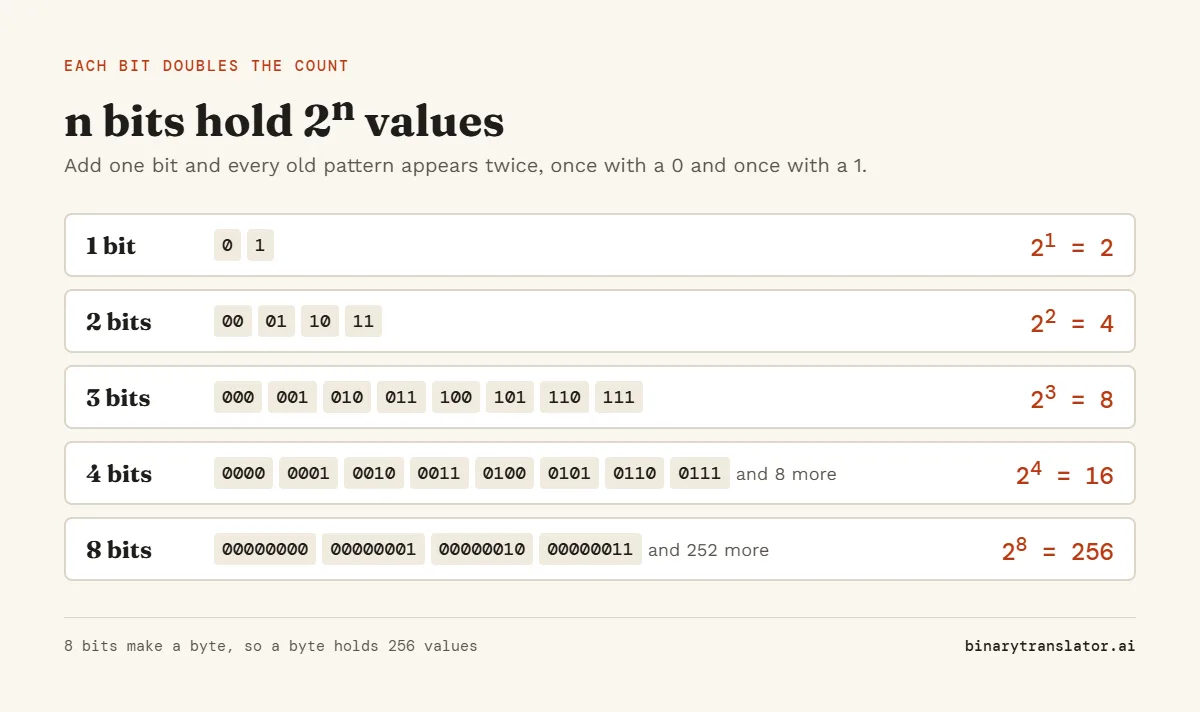
- A byte is 8 bits, so it holds 28 = 256 values, from 0 to 255. That is why color channels and IP address parts stop at 255.
- A 24-bit color uses 8 bits each for red, green and blue, which gives 224 = 16,777,216 colors.
- IPv4 addresses are 32 bits long, so there can be at most 232 = 4,294,967,296 of them. The world ran short, which is why IPv6 uses 128 bits.
- A signed 32-bit number tops out at 231 - 1 = 2,147,483,647. YouTube changed its view counter in 2014 after Gangnam Style got close to that number.
- Many systems count time as seconds since 1 January 1970 in a signed 32-bit number. It runs out at 03:14:07 UTC on 19 January 2038, a date known as the Year 2038 problem.
Powers of 2 in binary
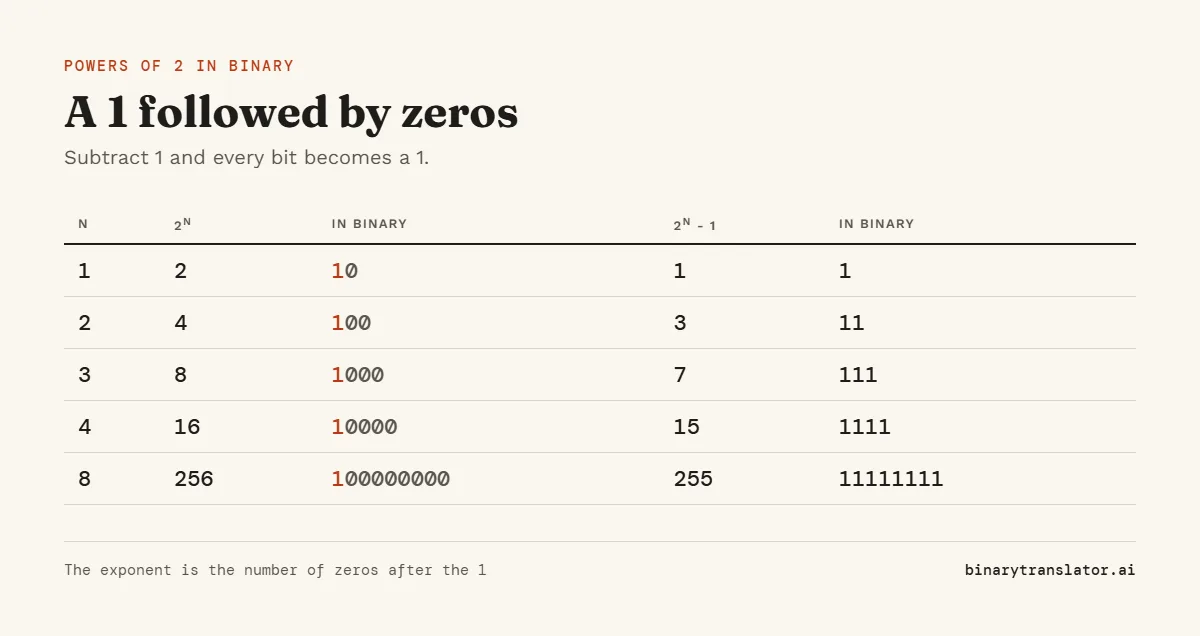
In binary, every power of 2 is a 1 followed by zeros. 23 = 8 is 1000 and 26 = 64 is 1000000. The exponent tells you how many zeros come after the 1, the same way 103 = 1000 in decimal.
Take one away and you get a row of 1s. 28 - 1 = 255 is 11111111, and 24 - 1 = 15 is 1111. This is also why the place values in a byte are 128, 64, 32, 16, 8, 4, 2 and 1: each one is a power of 2. Our guide on how to read binary uses those place values to decode letters, and the binary numbers chart shows every value up to 1023.
Powers of 2 and file sizes
Storage is where powers of 2 cause the most confusion. Memory chips are built in powers of 2, so 1 KiB (kibibyte, one of the IEC binary prefixes) is 210 = 1,024 bytes, 1 MiB is 220 bytes and 1 GiB is 230 = 1,073,741,824 bytes. Drive makers use powers of 10 instead, so their 1 GB is exactly 1,000,000,000 bytes.
| Binary unit | Bytes | Decimal unit | Bytes |
|---|---|---|---|
| 1 KiB = 210 | 1,024 | 1 KB = 103 | 1,000 |
| 1 MiB = 220 | 1,048,576 | 1 MB = 106 | 1,000,000 |
| 1 GiB = 230 | 1,073,741,824 | 1 GB = 109 | 1,000,000,000 |
| 1 TiB = 240 | 1,099,511,627,776 | 1 TB = 1012 | 1,000,000,000,000 |
Windows counts in binary units but labels them KB, MB and GB, so a 1 TB drive shows up as about 931 GB. Nothing is missing: 1,000,000,000,000 divided by 1,073,741,824 is 931.3, so it is the same number of bytes counted in bigger units. The GiB to GB converter and the byte converter switch between the two systems.
How to tell if a number is a power of 2
Write the number in binary. If it has exactly one 1, it is a power of 2. 64 is 1000000, so it is. 96 is 1100000, with two 1s, so it is not.
Programmers use a shortcut based on the same idea. Subtracting 1 from a power of 2 flips its single 1 to 0 and every 0 after it to 1, so the two numbers share no 1 bits. In code that check is n > 0 and (n & (n - 1)) == 0. The n > 0 part is there because 0 would also give 0 and wrongly pass. For 64 the AND compares 1000000 with 0111111 and gets 0. The binary calculator lets you try the AND step yourself.
2 to the power of 0, and negative powers
20 = 1. Walk down the list and each step halves the number: 23 = 8, 22 = 4, 21 = 2. The next step, 20, is 2 halved, which is 1. Keep halving and you reach the negative powers.
| Power | Fraction | Decimal | Binary |
|---|---|---|---|
2-1 | 1/2 | 0.5 | 0.1 |
2-2 | 1/4 | 0.25 | 0.01 |
2-3 | 1/8 | 0.125 | 0.001 |
2-4 | 1/16 | 0.0625 | 0.0001 |
Computers store fractions as sums of these values. A number like 0.1 cannot be written as an exact sum of them, so it is stored as a close approximation, as Python's floating-point tutorial explains. That is why 0.1 + 0.2 shows up as 0.30000000000000004 in many programming languages. The IEEE 754 converter shows the exact bits a computer keeps for any decimal.
A quick way to estimate big powers of 2
210 = 1,024 is close to 1,000. So every 10 steps in the exponent adds roughly three zeros: 220 is about a million, 230 about a billion and 240 about a trillion. To estimate 235, split it into 230 × 25, about a billion times 32, which gives about 32 billion. The exact answer is 34,359,738,368.
Questions people ask
What is 2 to the power of 10?
210 = 1,024. It is the number of bytes in a kibibyte and the reason a "kilobyte" in Windows is 1,024 bytes.
What is 2 to the power of 0?
20 = 1. Any number other than 0 raised to the power of 0 equals 1.
Is 1 a power of 2?
Yes. 1 = 20. In binary it is a single 1 with no zeros after it.
Is 0 a power of 2?
No. You can halve 2 as many times as you like and the result gets smaller, but it never reaches 0.
What is the largest power of 2 that fits in 64 bits?
263 = 9,223,372,036,854,775,808. An unsigned 64-bit number goes up to 264 - 1, which is all 64 bits set to 1.
Why do computers use powers of 2?
Each bit doubles the number of values a computer can store. Memory addresses, data types and file sizes are all built from whole numbers of bits, so their limits land on powers of 2.
About the authors

Zachary Painter is a technical writer at GitLab, where he writes developer documentation and UI text. He has written API documentation for REST and GraphQL APIs and reference docs for Kubernetes, Docker and command-line tools, earlier as a technical writer at Pomerium and a senior technical content writer at Stream. He holds a BA in English and German studies from the University of North Carolina at Greensboro. On binarytranslator.ai he writes guides and the how-to sections on tool pages.

Sam Siewert is the O'Connell Endowed Professor of computer science at California State University, Chico, where he teaches numeric and parallel computing, computer vision and machine learning. He has taught real-time embedded systems at the University of Colorado Boulder since 2000 and co-founded its Embedded Systems Engineering program. Both fields depend on how computers store numbers in binary, from fixed-width integers to floating point. He earned his PhD and MS in computer science at the University of Colorado Boulder and is a senior member of IEEE. On binarytranslator.ai he reviews the math behind the converters and the number system guides.
Keep reading
All posts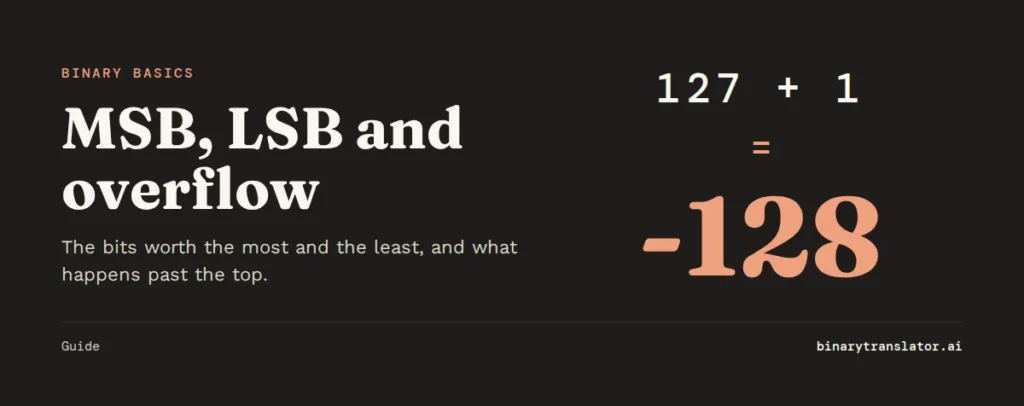 Binary basics
MSB and LSB: most and least significant bits, signed integers and overflow
The MSB is the leftmost, highest-value bit and the LSB the rightmost. See what each tells you, how signed integers use the MSB as a sign bit, and how integer overflow wraps values around.9 min read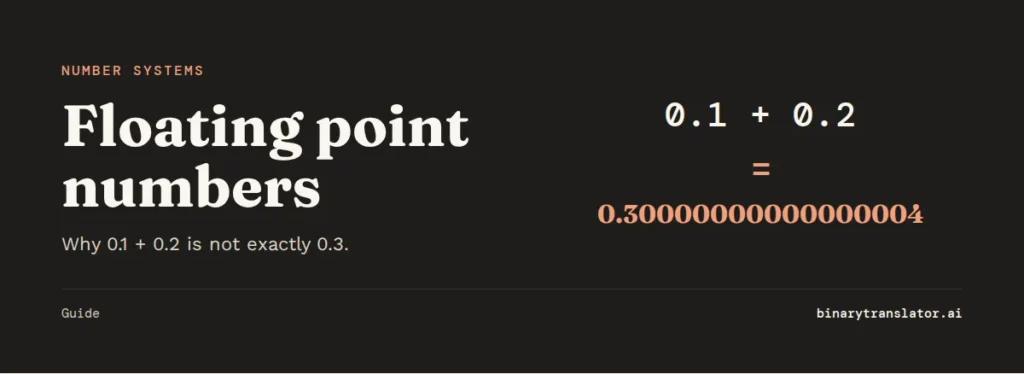 Binary basics
Floating point numbers explained: why 0.1 + 0.2 is not 0.3
A floating point number is scientific notation in binary. See why 0.1 + 0.2 is 0.30000000000000004, how precise floats are, float vs double, and how to compare floats and handle money.9 min read Binary basics