Gray code converter
Convert binary numbers to Gray code or Gray code back to binary, with the XOR steps shown for each bit. Gray code, also called reflected binary code, counts so that only one bit changes between neighbors. This page covers the binary code, not the hospital alert or gray color codes.
Show the working
Gray code table


Runs in your browser. Nothing you type is uploaded.
How to use the Gray code converter
- Pick Binary to Gray or Gray to binary in Convert.
- Set "Numbers as" to Decimal if you want to type ordinary numbers such as 5 or 12.
- Type one or more numbers, separated by spaces or new lines.
- Open "Show the working" for the XOR steps, or "Gray code table" for every value with 1 to 6 bits.
The Bits menu pads every result to the same width, which keeps a list aligned.
What Gray code is
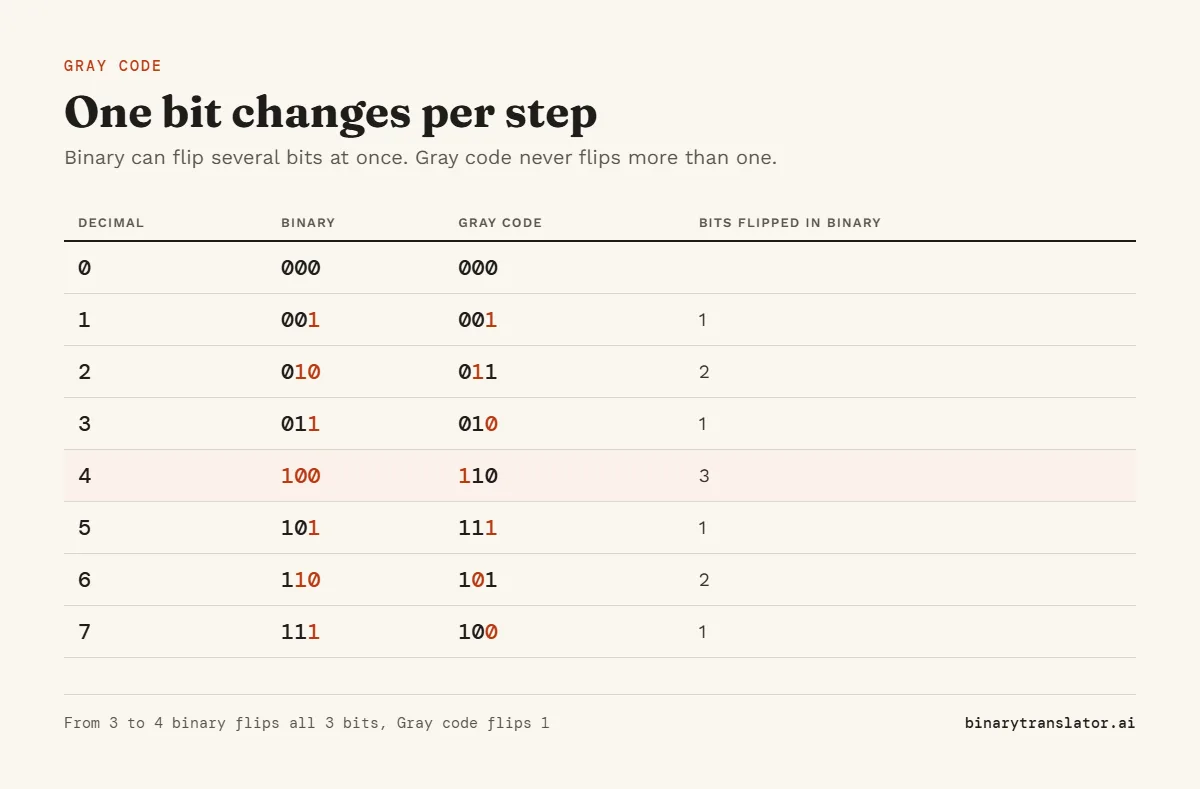
In normal binary, going from 3 (011) to 4 (100) flips all three bits at once. In a real device those bits never flip at exactly the same moment, so for an instant a sensor might read 111 or 000. Gray code avoids this. Each step changes exactly one bit, so a reading is always either the old value or the new one. Frank Gray of Bell Labs described it in his "Pulse Code Communication" patent, filed in 1947, and it is named after him. Gray code is one of several ways to store numbers in bits, and the BCD converter covers another, where each decimal digit gets its own 4 bits.
How to convert binary to Gray code
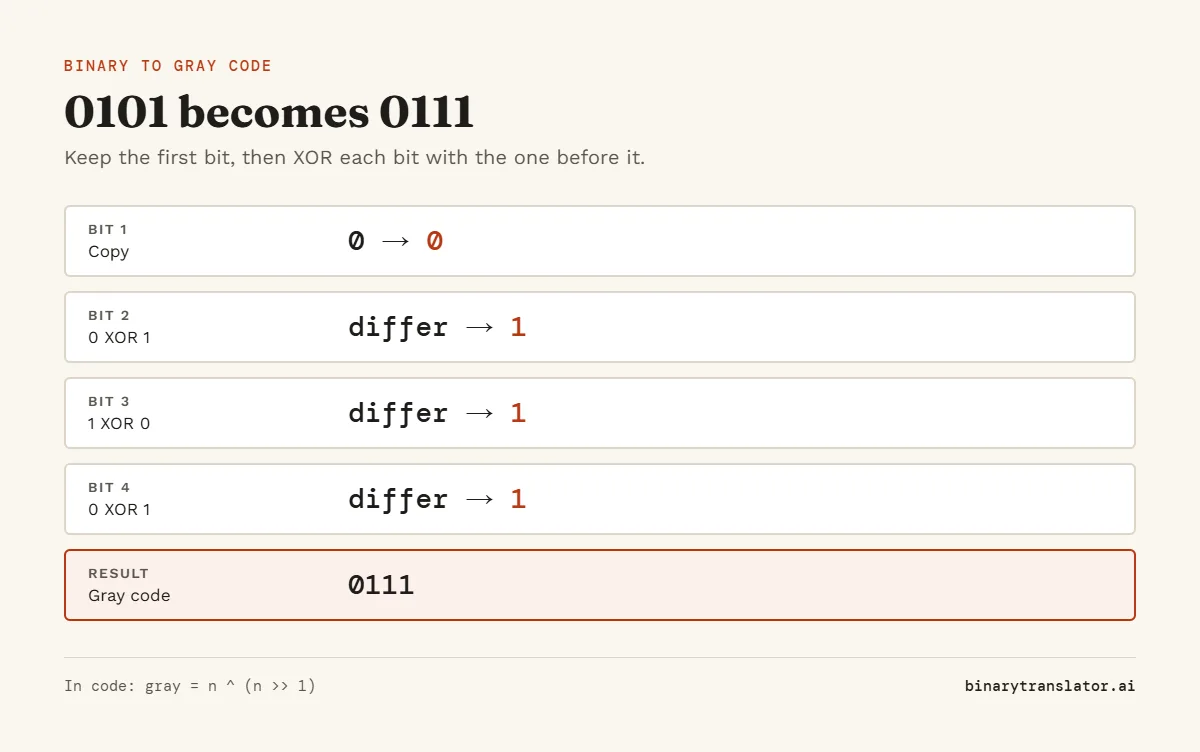
Keep the first bit. Then each next Gray bit is the XOR of that binary bit and the one before it: 1 if they differ, 0 if they match, the same rule the XOR calculator applies to any two numbers. In code it is one line: gray = n ^ (n >> 1).
| Bit | Rule | Gray |
|---|---|---|
| 1 | Copy the first bit 0 | 0 |
| 2 | 0 XOR 1 | 1 |
| 3 | 1 XOR 0 | 1 |
| 4 | 0 XOR 1 | 1 |
So binary 0101 (5) is Gray code 0111.
How to convert Gray code to binary
Keep the first bit. Then each next binary bit is the XOR of the binary bit you just wrote and the next Gray bit. For Gray 0111: the first bit is 0, then 0 XOR 1 = 1, 1 XOR 1 = 0, 0 XOR 1 = 1, giving binary 0101. Going this way you have to work left to right, because each bit depends on the one before. The binary to decimal converter then shows that 0101 is 5.
4-bit Gray code table
| Decimal | Binary | Gray |
|---|---|---|
| 0 | 0000 | 0000 |
| 1 | 0001 | 0001 |
| 2 | 0010 | 0011 |
| 3 | 0011 | 0010 |
| 4 | 0100 | 0110 |
| 5 | 0101 | 0111 |
| 6 | 0110 | 0101 |
| 7 | 0111 | 0100 |
| 8 | 1000 | 1100 |
| 9 | 1001 | 1101 |
| 10 | 1010 | 1111 |
| 11 | 1011 | 1110 |
| 12 | 1100 | 1010 |
| 13 | 1101 | 1011 |
| 14 | 1110 | 1001 |
| 15 | 1111 | 1000 |
The table is called reflected because the second half mirrors the first. Take the 3-bit list, write it again in reverse order below, and put 0 in front of the top half and 1 in front of the bottom half. That gives the 4-bit list.
Where Gray code is used
- Rotary encoders on motors and knobs, where the code wheel must never jump to a wrong position.
- Karnaugh maps in digital logic, where neighboring cells differ by one variable.
- Counters that pass values between clock domains in chips, since only one bit changes at a time.
- Error correction in digital radio, where nearby symbols differ by one bit.
Frequently asked questions
What is 5 in Gray code?
0111. Binary 5 is 0101, and 0101 XOR 0010 is 0111.
Is Gray code the same as binary?
No. Both use 0 and 1, but Gray code orders the values so only one bit changes between neighbors.
Why is it called reflected binary code?
Because each longer table is built by mirroring the shorter one, as the table above shows.
Can I do arithmetic in Gray code?
Not directly. Convert to binary, do the math, then convert back.